

General settings
In the sidebar, under Settings, click General settings. The page has up to three tabs: General Setting, Payment Setting and Refund setting. You only see the tabs your role has permission for.
This tab covers your business as a whole, not one location. Tips, payment methods and refund reasons are on the other tabs. Order types are in Devices and printers.
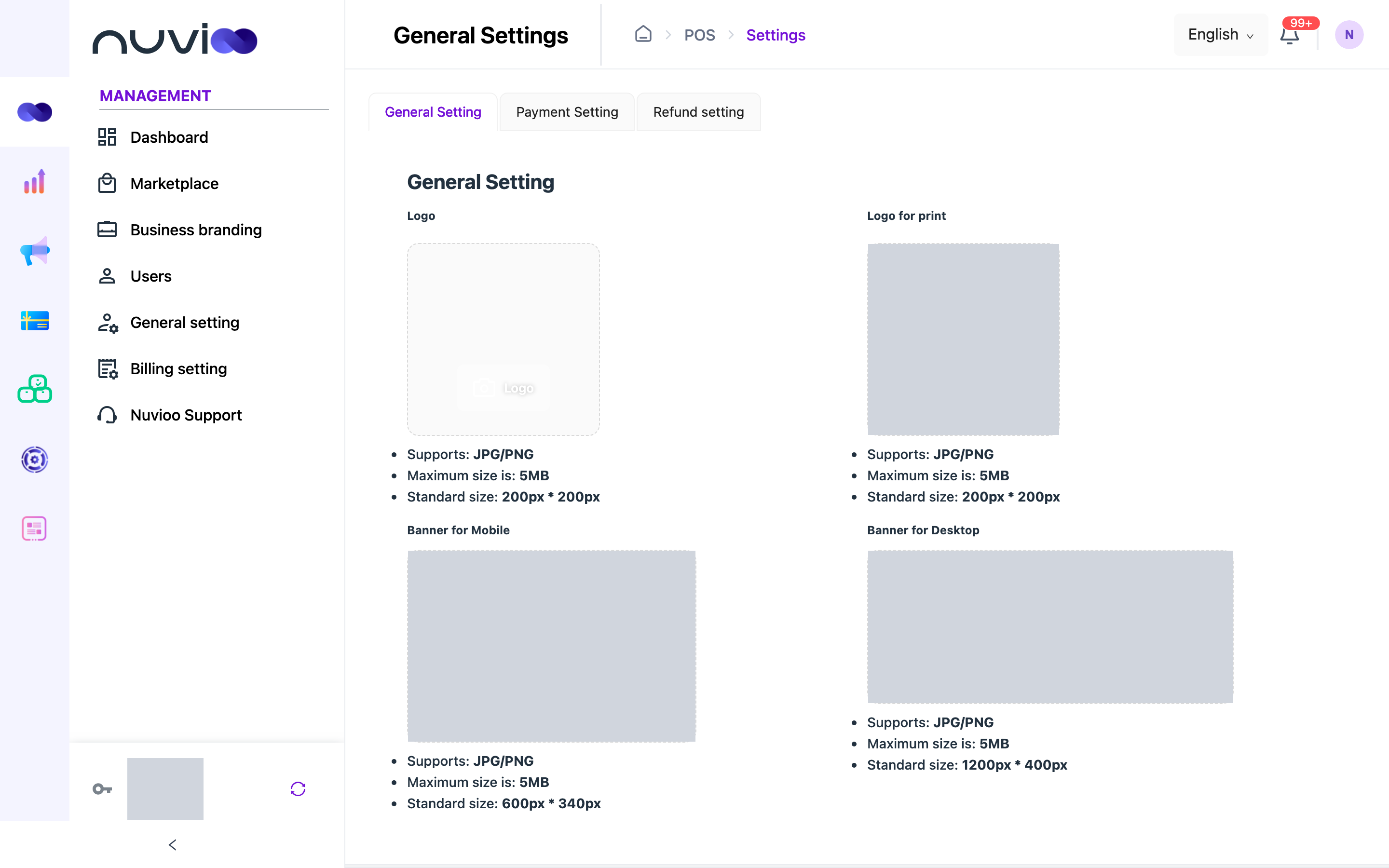
Images
Section titled “Images”Each upload area shows the size and file types it accepts under the picture. Images save as soon as you upload or delete them. You don’t need to click Complete.
| Setting | What it changes |
|---|---|
| Logo | Your logo in the Nuvioo apps. |
| Logo for print | The logo used on printed receipts. |
| Banner for Mobile | The banner on the mobile version of your online ordering site. |
| Banner for Desktop | The banner on the desktop version of your online ordering site. |
Business details
Section titled “Business details”| Setting | Options | What it does |
|---|---|---|
| CURRENCY | Pick from the list. You can search. | The currency for prices, orders and reports. You can choose it once. After you save, the field is locked. |
| WELCOME MESSAGE | Text, up to 100 characters. | A short greeting for your business. Empty by default. |
| CODE | Read only. | Your business code, which is your subdomain. |
| REGISTRATION DATE | Read only. | The day your business was registered. |
Click Complete to save the currency and welcome message. The button appears after you change a field, and only for roles with permission to edit general settings.
What this page doesn’t have
Section titled “What this page doesn’t have”General settings has no tax, rounding, tip or language options.
- Set tax for each location in Locations.
- Set tip percentages in Payment settings.
- Add fees in Extra fees.