

Get help from Nuvioo Support
Use Nuvioo Support to report a problem or ask a question. Each request is an issue you can follow and reply to.
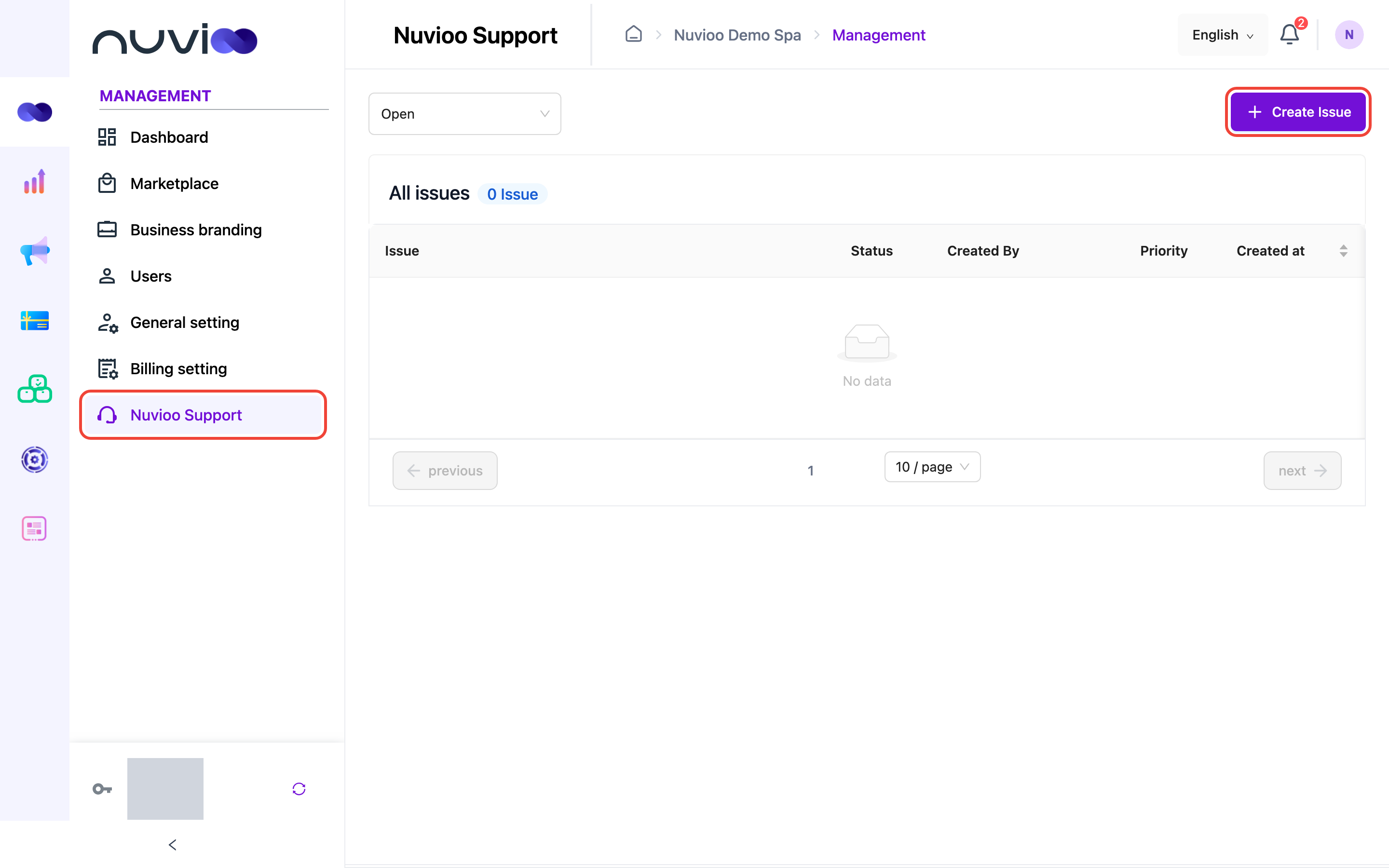
In the sidebar, under Management, click Nuvioo Support. The list shows your Open issues; choose Closed to see finished ones.
Open an issue
Section titled “Open an issue”Start a new issue
Click Create Issue.
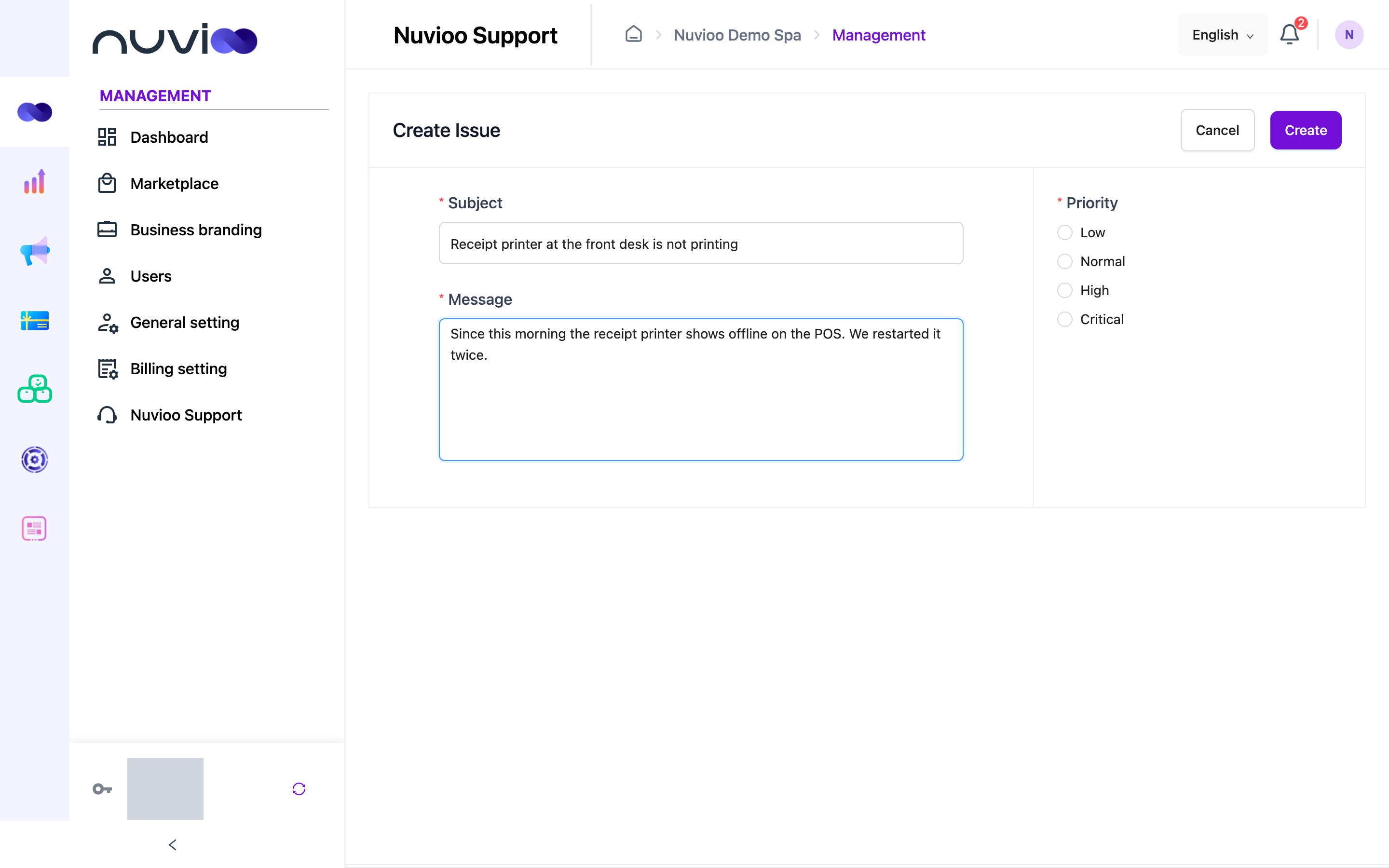
Describe the problem
- Subject: a short summary.
- Message: what happened, what you expected, and what you already tried.
- Priority: Low, Normal, High or Critical.
Send it
Click Create. The Nuvioo team is notified.
Reply and close an issue
Section titled “Reply and close an issue”Click an issue to open the conversation. Type in Message and press Enter to send; press Shift + Enter for a new line. You can attach images (PNG or JPG) and documents (Word, Excel, PDF or PowerPoint) up to 5 MB.
When the problem is solved, click Mark it complete. The issue moves to Closed.