

Menus
A menu is a named set of categories for one location, with its own image, colour and visibility. Each menu belongs to one location.
Nuvioo offers a menu to the kiosk and to online ordering for its location. Hidden menus are not offered. Visible and Unavailable menus are.
Find a menu
Section titled “Find a menu”In the sidebar, under Menu management, open Menu groups and click Menus.
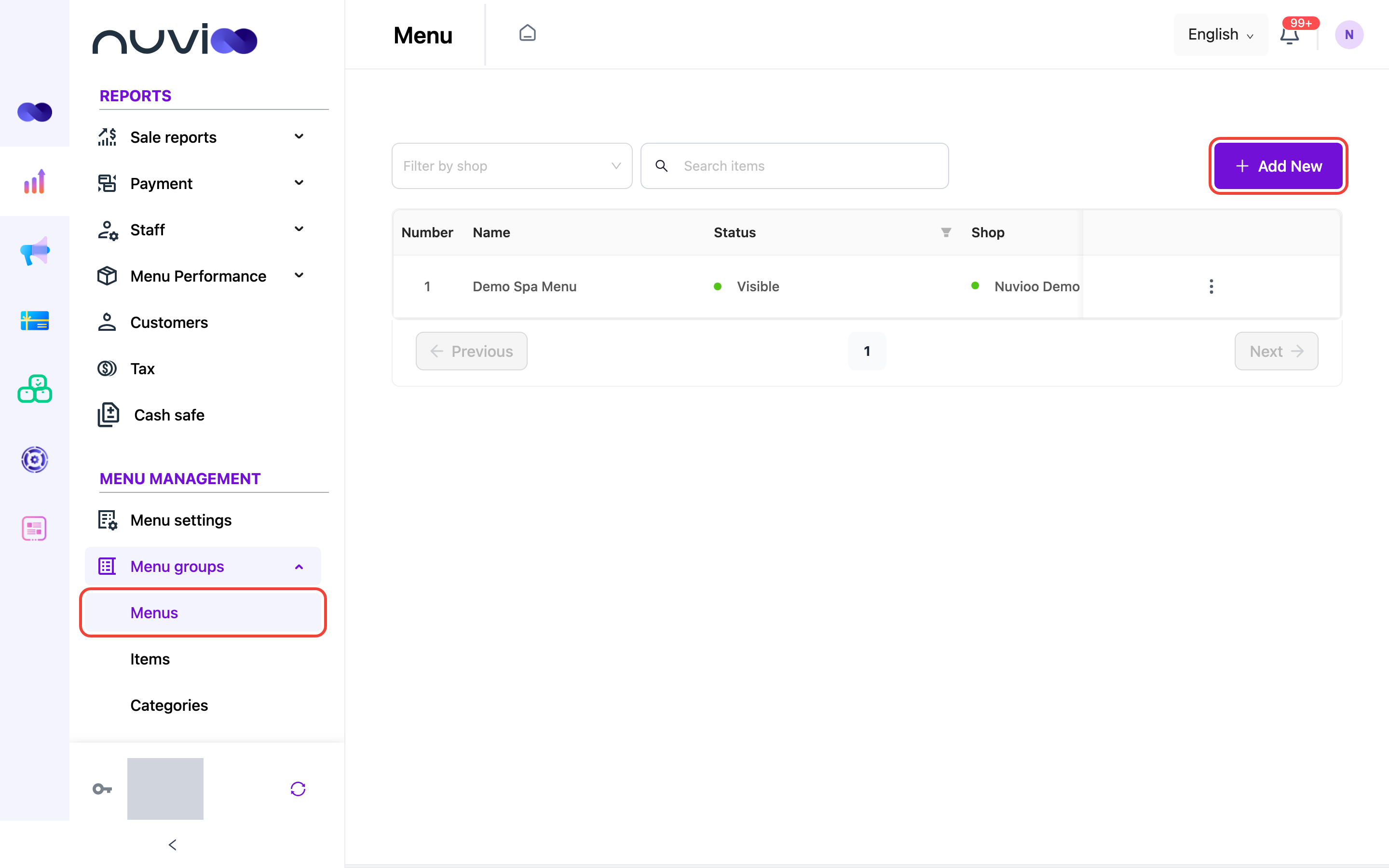
The list shows 10 menus per page.
| Column | What it shows |
|---|---|
| Number | The row number. |
| Name | The menu name. |
| Status | Visible, Hidden or Unavailable, with a green, red or orange dot. |
| Shop | The location the menu belongs to. |
To narrow the list:
- Filter by shop: pick a location. Clear it to see all menus.
- Search items: type part of a menu name.
- Status: open the filter in the Status column header, tick one or more statuses, and confirm.
Add a menu
Section titled “Add a menu”Open the form
Click Add New. The Add menu drawer opens. You only see Add New if your role can create categories. See Roles and permissions.
Enter the details
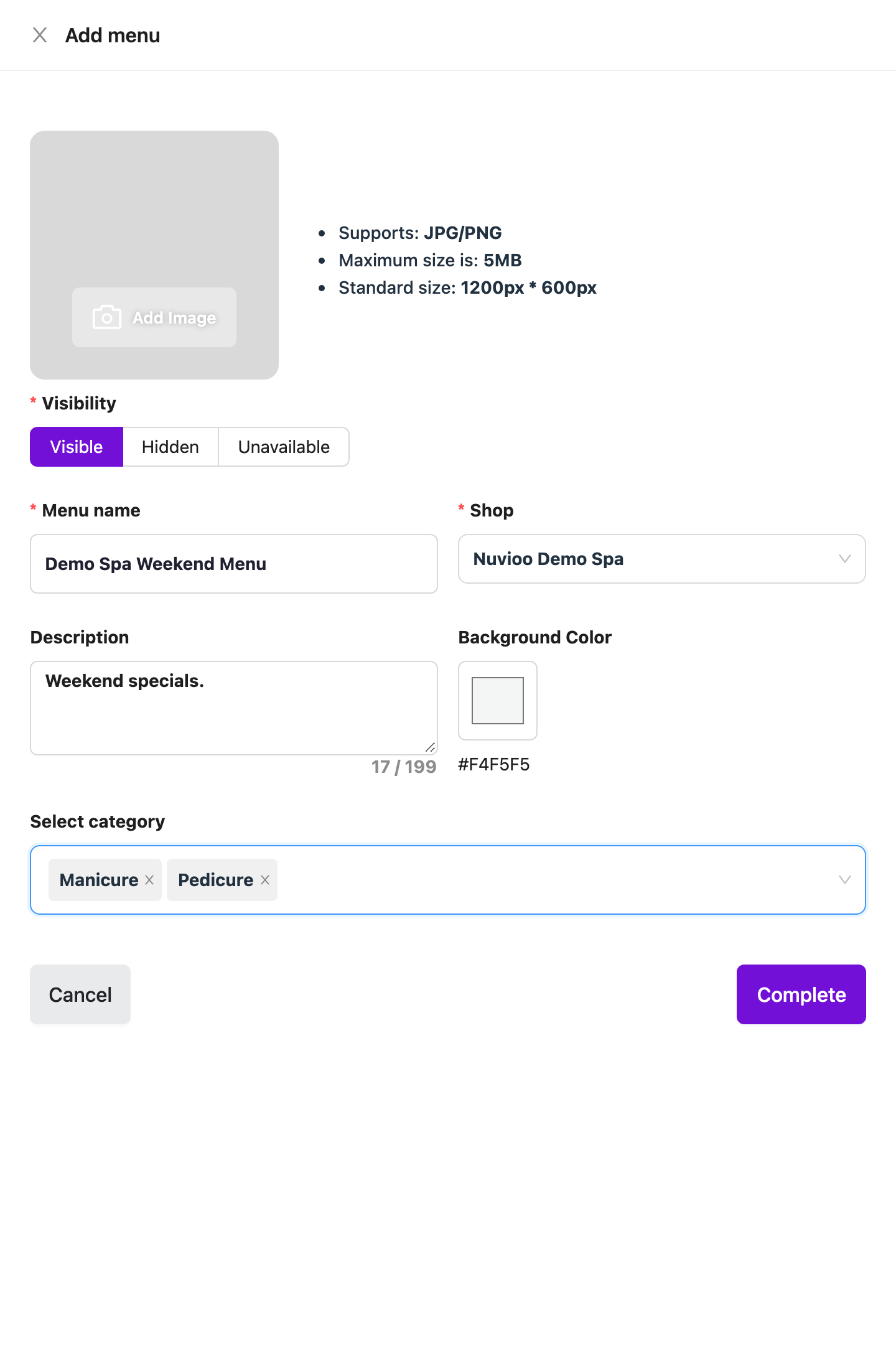
Add menu Field Required What it does Image (Add Image) No A picture for the menu. JPG or PNG. The drawer shows the standard size, 1200 px by 600 px, and the maximum file size. Visibility No Visible, Hidden or Unavailable. The default is Visible. Menu name Yes Up to 200 characters. It can’t match another menu’s name. Shop Yes The location this menu is for. You can search the list. Description No Up to 199 characters. A counter shows how many you have left. Background Color No Pick a colour. The default is #F4F5F5.Select category No The categories on this menu. Pick the Shop first, because the list is turned off until you do. It shows the categories sold at that location. Hidden or unavailable categories show their status in brackets. Save
Click Complete, or Cancel to close the drawer without saving. You see Create successfully.
Edit or delete a menu
Section titled “Edit or delete a menu”Click ⋮ on a row, then choose Edit or Delete. Edit opens the Update menu drawer with the same fields. The ⋮ column is hidden if your role can’t edit or delete categories.
- Delete asks Are you sure to delete?. Confirm with Delete, or click No. Nuvioo doesn’t block the delete, and deleting a menu doesn’t delete its categories or items.
- There are no bulk actions on this list. Edit or delete one menu at a time.
How menus and categories fit together
Section titled “How menus and categories fit together”- Select category only lists categories sold at the menu’s location. Set where a category is sold under Service limitation on the category.
- Commodity groups can’t be added to a menu.