

Staff
The Staff list shows the team members CRM knows about. Staff can be contact owners, deal owners, task assignees and appointment hosts.
In the sidebar, under Main Hub, click Staff.
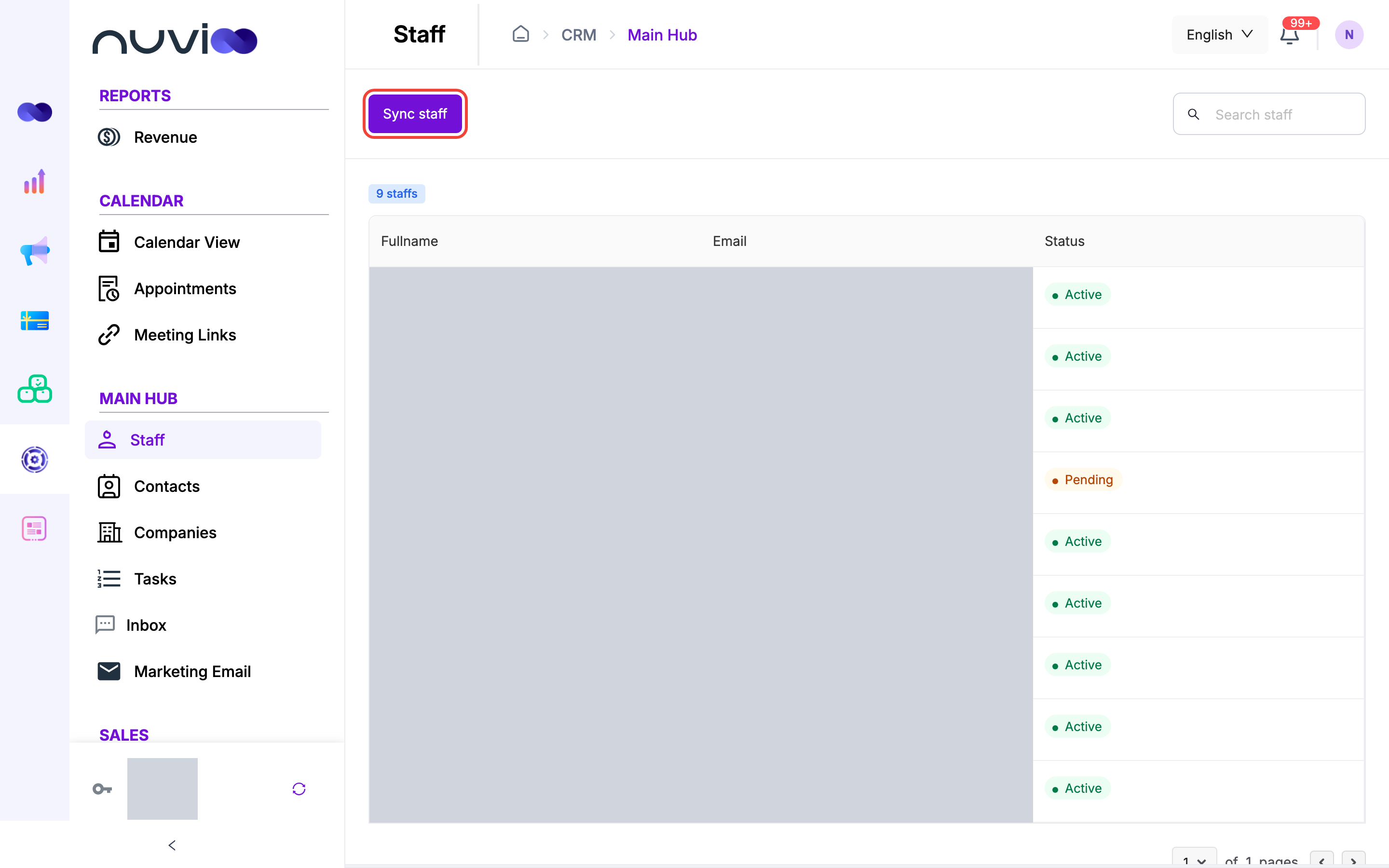
The staff list
Section titled “The staff list”| Column | What it shows |
|---|---|
| Fullname | First and last name. |
| The email the person signs in with. | |
| Status | Pending: invited but not signed in yet. Active: can sign in. Deactivated: the account is switched off. |
A badge above the table shows how many staff there are. Type in Search staff to find people by name or email. The list shows 10 people per page, newest first.
The account owner isn’t shown in this list. The owner always has access to CRM.
Invite staff and set roles
Section titled “Invite staff and set roles”CRM doesn’t invite people or set roles. Do both in the Nuvioo portal, under Management, then Users. A person’s role decides which CRM pages they can see and what they can do on them. See Manage users and roles.
Then bring CRM up to date.
Add or change users in the portal
Invite the person, or change their name, role or color. See Manage users and roles.
Sync
In CRM, open Staff and click Sync staff.
Check the result
Sync staff successfully means the list is up to date. If you see Sync staff failed, try again. Sync also fails when the portal has no users to send.
Sync staff only shows for roles with create access to Staff. When CRM first learns about a person who has no color, sync gives them one. You can change it from the staff list in the Calendar view.
Where staff are used in CRM
Section titled “Where staff are used in CRM”Staff appear in pickers across CRM, for example:
- Contact owner on Contacts, and the Staff Owner filter in the Help desk.
- Owners on Deals, and assignees on Tasks.
- Assigned staff on Appointments, and the staff list on the Calendar view.
People who are still Pending, and people who are Deactivated, don’t appear in these pickers.
Per-person settings
Section titled “Per-person settings”Mailbox, phone number and video meeting connections belong to each person, not to the business. Each person connects their own and sees only their own. See Integrations.