

Sending addresses
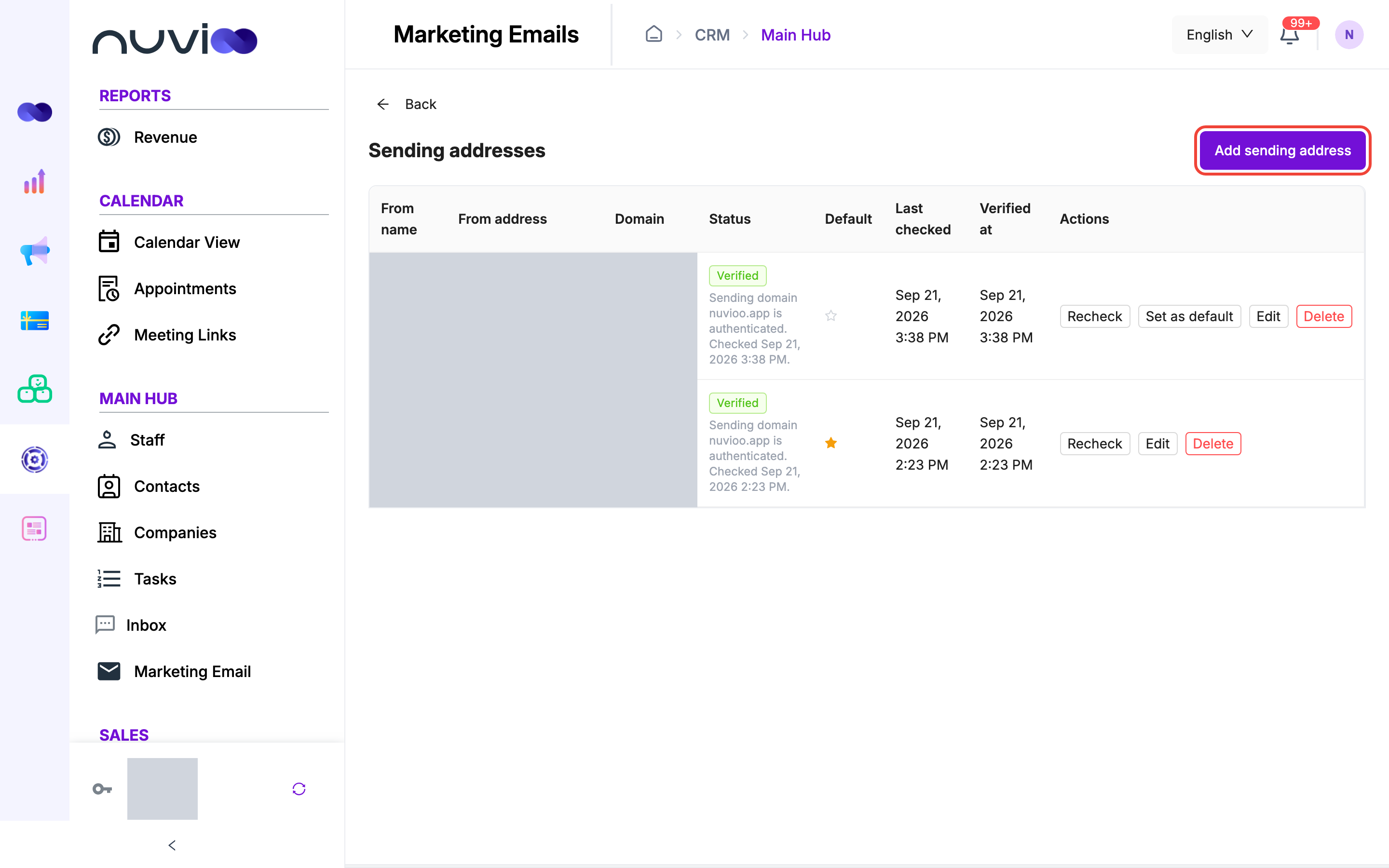
Marketing emails are sent from a sending address. A campaign can only use an address that is Verified. Open Marketing emails, then click the gear button (Sending addresses).
What verification checks
Section titled “What verification checks”Verification checks the domain of the address, not the mailbox. Nuvioo confirms that the domain is active as a sending domain on your account and that its DNS records are in place. It doesn’t send a confirmation email to the address.
The list
Section titled “The list”| Column | What it shows |
|---|---|
| From name | The name recipients see. |
| From address | The full address. |
| Domain | The domain part of the address. |
| Status | Verified, Not checked yet, Failed, or Checking… while a check runs. A note under it explains the result. |
| Default | A filled star marks the default address. |
| Last checked, Verified at | When Nuvioo last checked the domain, and when it first passed. |
| Actions | Recheck, Set as default, Edit and Delete. |
You only see the actions your role allows.
Add a sending address
Section titled “Add a sending address”Start
Click Add sending address.
Fill in the details
Field Required What it does From name Yes The name recipients see, up to 255 characters. From address Yes The part before the @. Use letters, numbers and . _ % + -only. No spaces.Reply-to (optional) Where replies go when someone answers an email sent from this address. Make this the default sender Starts new campaigns with this address. Save
Click OK. Nuvioo checks the domain right away and shows the result in Status. The first address you add becomes the default.
An address you have already added can’t be added again.
Manage addresses
Section titled “Manage addresses”- Recheck runs the domain check again. A check within a minute of the last one returns the previous result.
- Set as default chooses the address new campaigns start with. Only one address is the default.
- Edit changes the From name and Reply-to (optional). You can’t change the address itself. Add a new one instead.
- Delete removes the address after you confirm. Emails already sent keep the address they were sent from.
Use an address in a campaign
Section titled “Use an address in a campaign”On the Settings step of a campaign, pick the address under From name and From address. Addresses that aren’t Verified show Not verified and can’t be chosen. If you have no addresses yet, the step links back here with Manage sending addresses.
If you set Reply-to (optional) here, replies from campaigns sent from this address go there. See Marketing email.