

Services and products
A service is a group of products, for example Packages or Memberships. A product is what you sell. Each product has a price and a billing frequency. You pick products when you build quotes, invoices and subscriptions. They also appear in deals and meeting links.
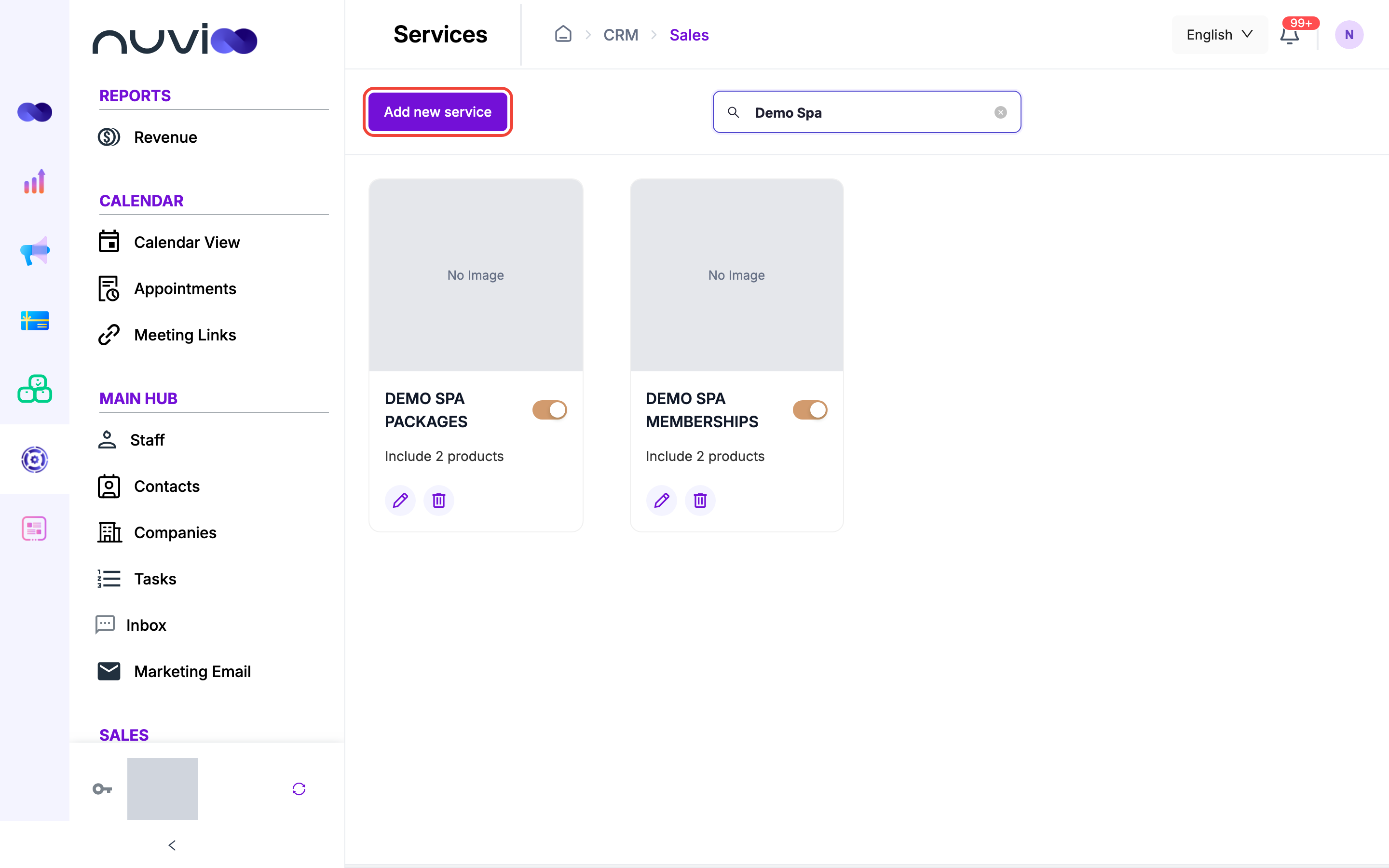
In the sidebar, under Sales, click Services.
Add a service
Section titled “Add a service”Open Services
Click Add new service.
Your services Fill in the service
Fill in the fields, then click Save.
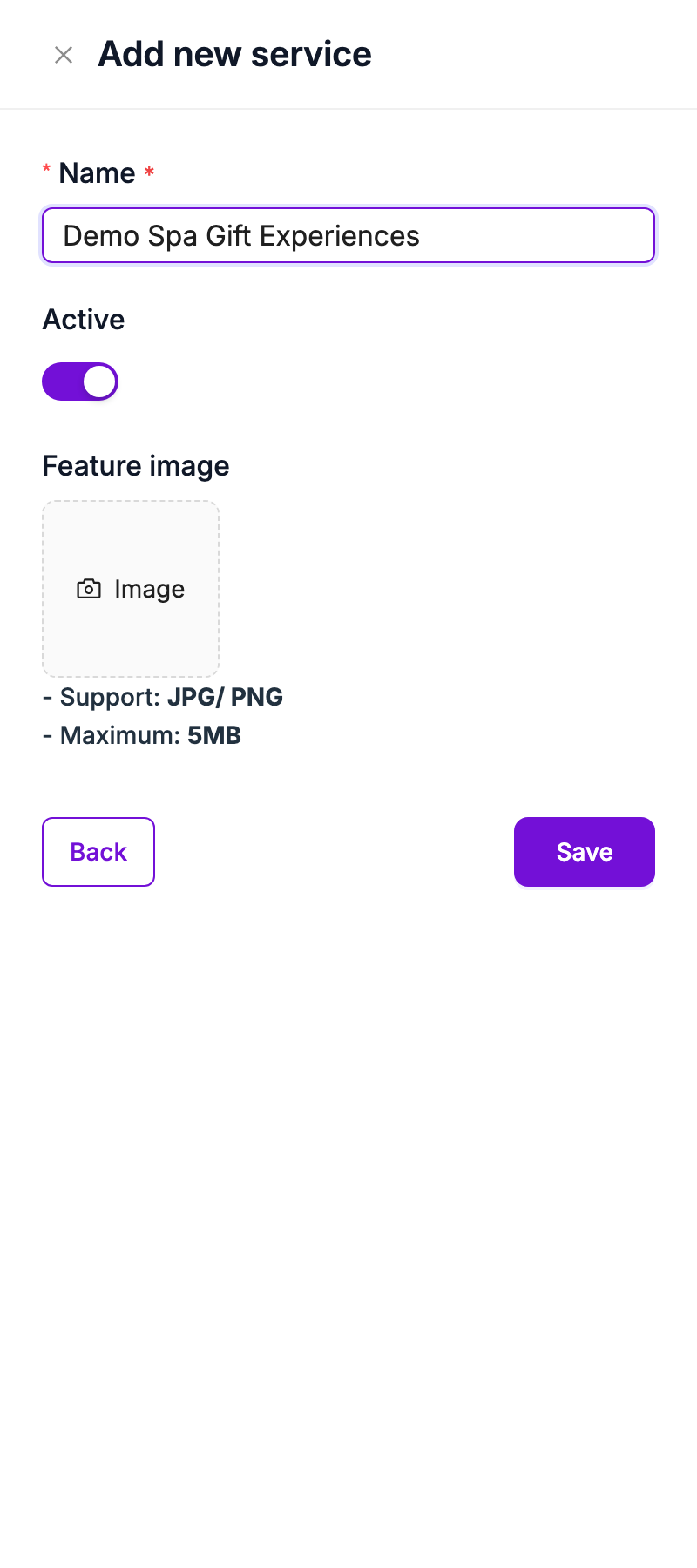
| Field | Required | What it does |
|---|---|---|
| Name | Yes | The service name. It shows in capitals on the service card. |
| Active | No | On by default. Turn it off to stop offering the service. |
| Feature image | No | The card cover. Use a JPG or PNG up to 5 MB. Without an image, the card shows No Image. |
Manage services
Section titled “Manage services”Each service card shows its name, an Active or Inactive tag, and how many products it includes.
- Search: type in the search box above the cards to filter by name.
- Switch on and off: the switch on a card saves immediately.
- Edit: click the pencil icon. The Edit service drawer opens with the same fields.
- Delete: click the bin icon and confirm.
- Open: click the card image to see its products.
An inactive service is hidden from the product pickers in quotes, invoices and subscriptions. Its products stay in the catalog.
Add products to a service
Section titled “Add products to a service”Open the service
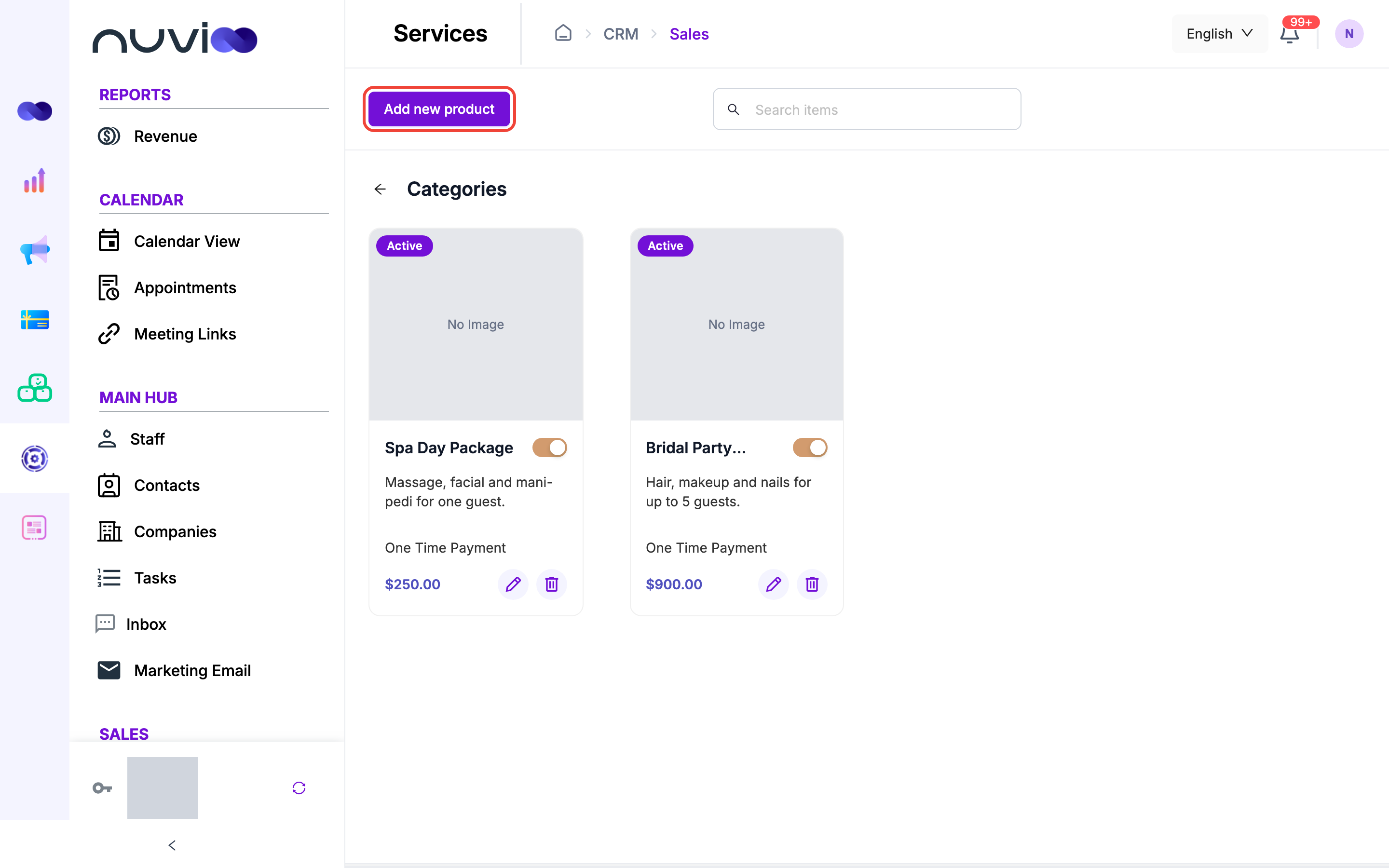
Click the service card’s image to open it, then click Add new product.
A service's products Enter the product details
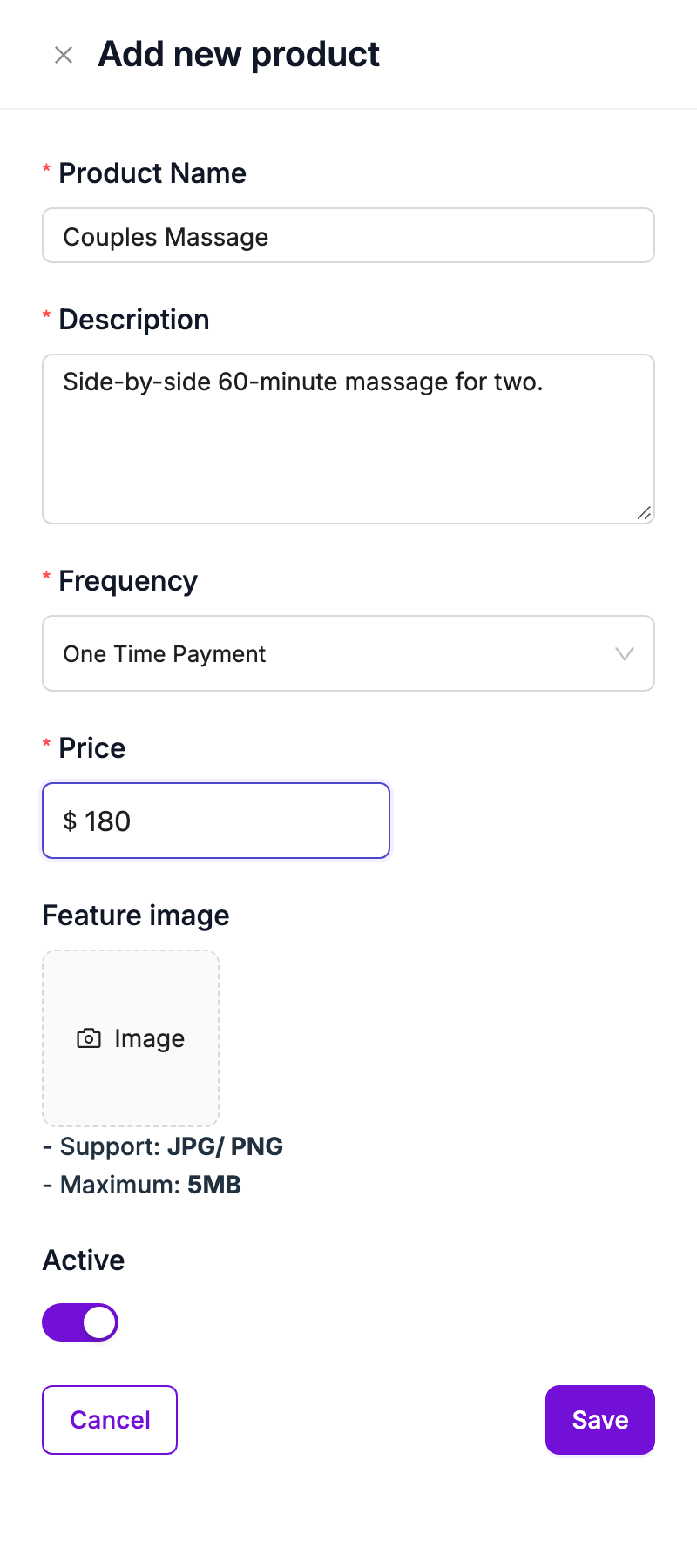
Fill in the fields in the Add new product drawer.
Add new product Save
Click Save.
| Field | Required | What it does |
|---|---|---|
| Product Name | Yes | The name customers see on quotes, invoices and subscriptions. |
| Description | Yes | Shown under the product name on documents. Line breaks are kept. |
| Frequency | Yes | How often the price is charged. See Billing frequency. |
| Price | Yes | The price in US dollars. |
| Feature image | No | A JPG or PNG up to 5 MB. |
| Active | No | On by default. Turn it off to hide the product from the pickers. |
Each product card shows its image, description, frequency and price. The switch, pencil and bin on the card work like the ones on a service card. The search box filters the products by name. Deleting a product has no extra check.
Billing frequency
Section titled “Billing frequency”Frequency is one of these seven values.
| Frequency | Type |
|---|---|
| One Time Payment | Charged once. |
| Weekly, Bi-weekly, Monthly, Quarterly, Semi-annually, Annually | Recurring. |
The frequency on a product is the starting value. You can change it for a line on a quote or invoice. Subscriptions only accept the six recurring frequencies, so a One Time Payment product becomes Monthly when you add it to a subscription.
Prices and tax
Section titled “Prices and tax”- Prices are in US dollars. Products have no currency field.
- Products carry no tax. You choose a tax rate on each line when you build a quote, invoice or subscription.
- You can change the price and add a discount on a line without changing the product.