Inventory audit
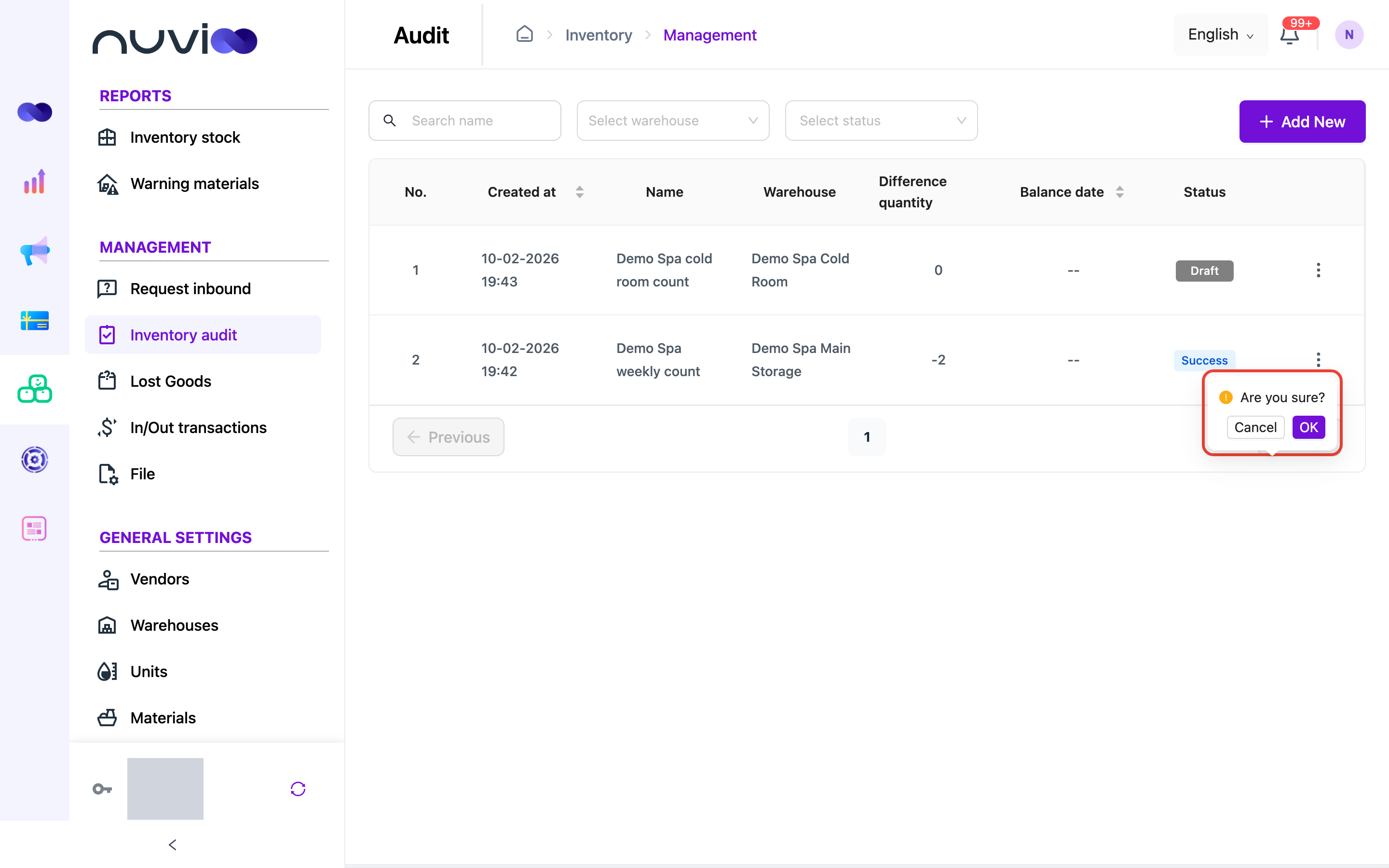
An inventory audit is a stock count. You count what is on the shelf, Inventory shows the difference from what it expected, and you balance the audit to correct the stock.
An audit goes through these statuses:
- Draft: saved, still being counted.
- Success: counting is complete.
- Balance: stock has been adjusted to match the count.
Count your stock
Section titled “Count your stock”Open Inventory audit
In the sidebar, under Management, click Inventory audit, then click Add New.
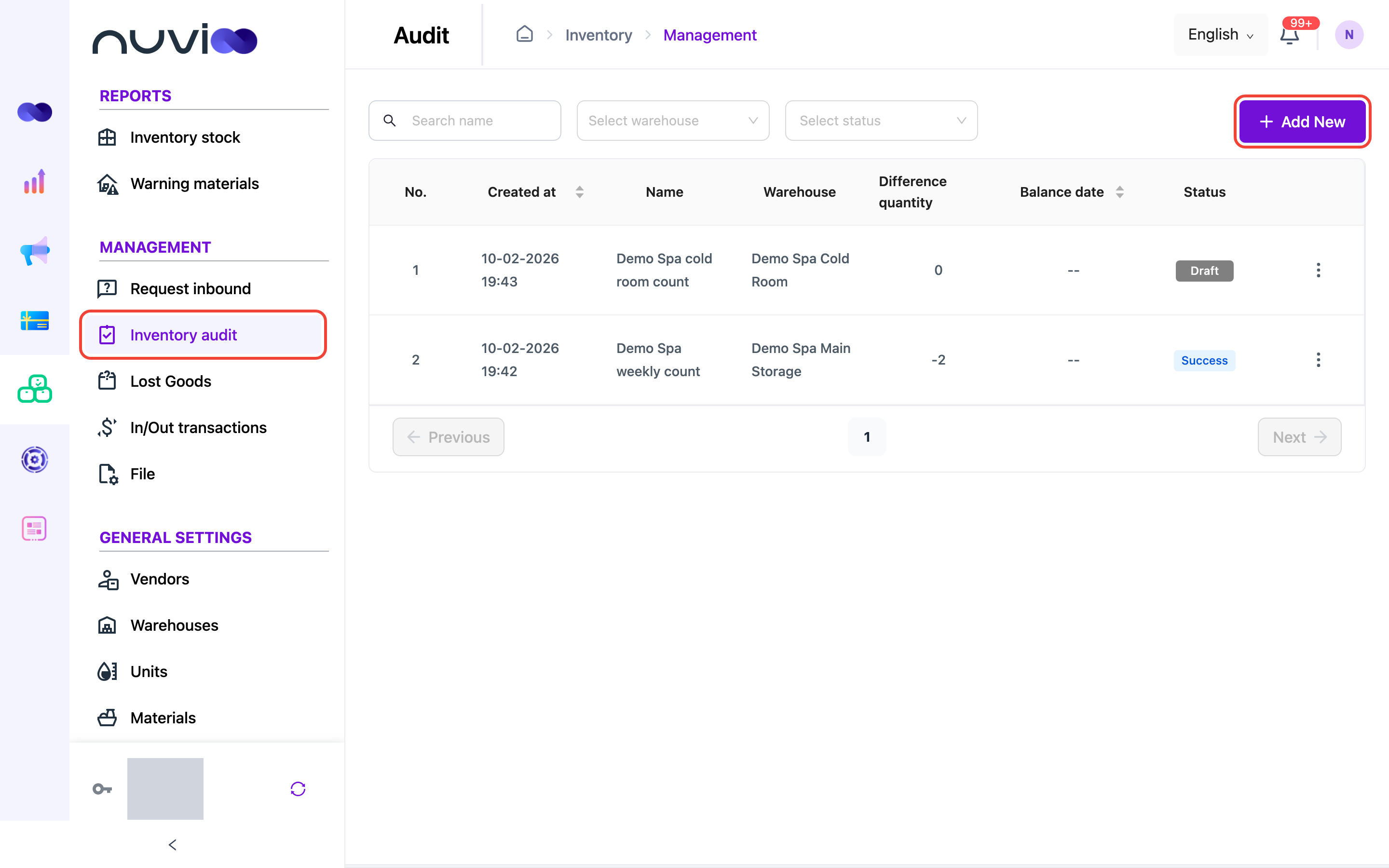
The Inventory audit list Choose the warehouse and name the count
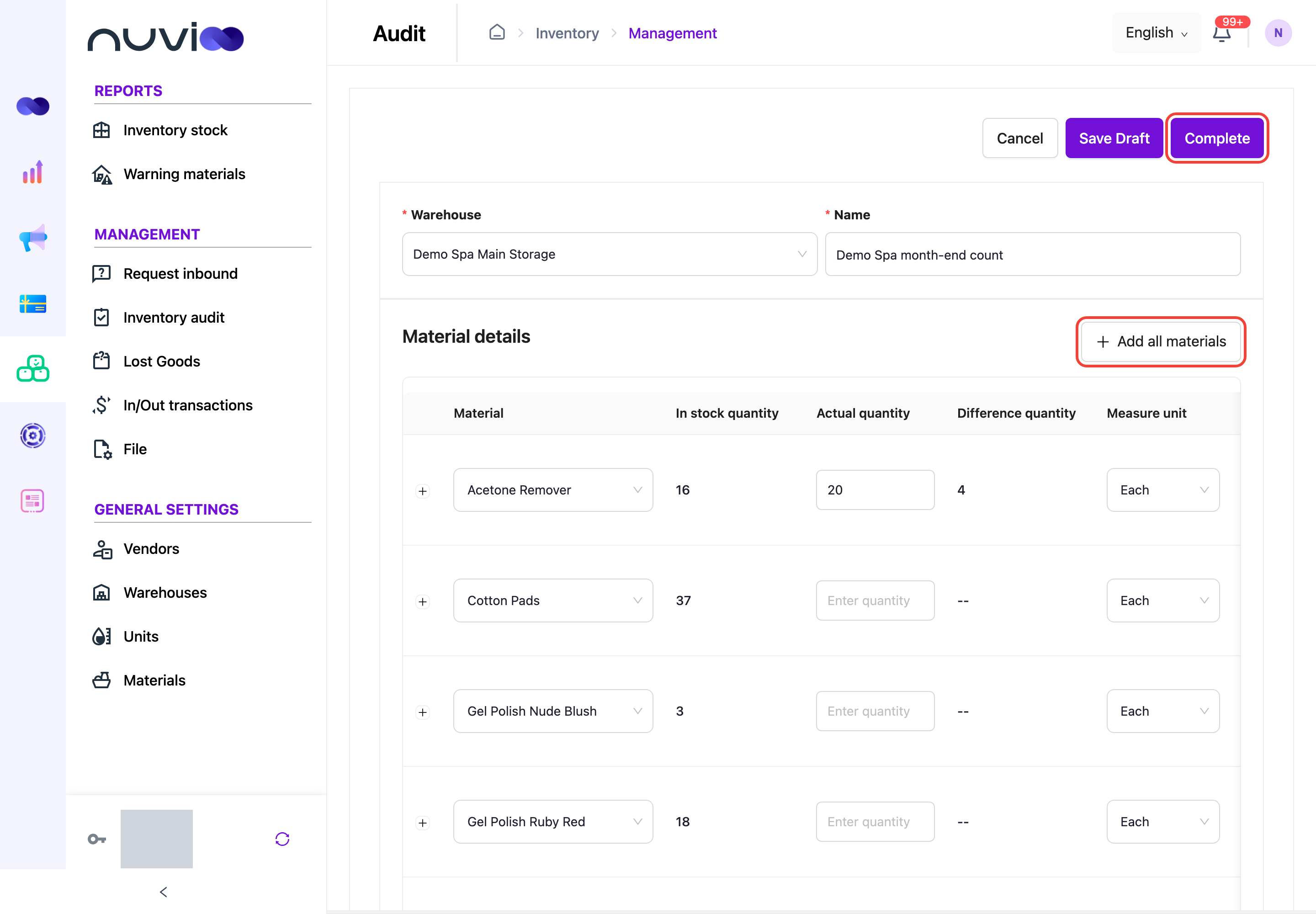
Choose the Warehouse you are counting and enter a Name, for example “Month-end count”.
Add materials and enter counts
Click Add all materials to list every active material in the warehouse, or click Add Item to add materials one by one. For each material, enter the Actual quantity you counted. Difference quantity shows the actual quantity minus the quantity in stock.
Counting stock Save
Click Save Draft to finish later, or Complete when the count is finished.
Balance an audit
Section titled “Balance an audit”Balancing changes stock to match what you counted. Only audits with the status Success can be balanced.
- Click ⋮ on the audit, then Balance.
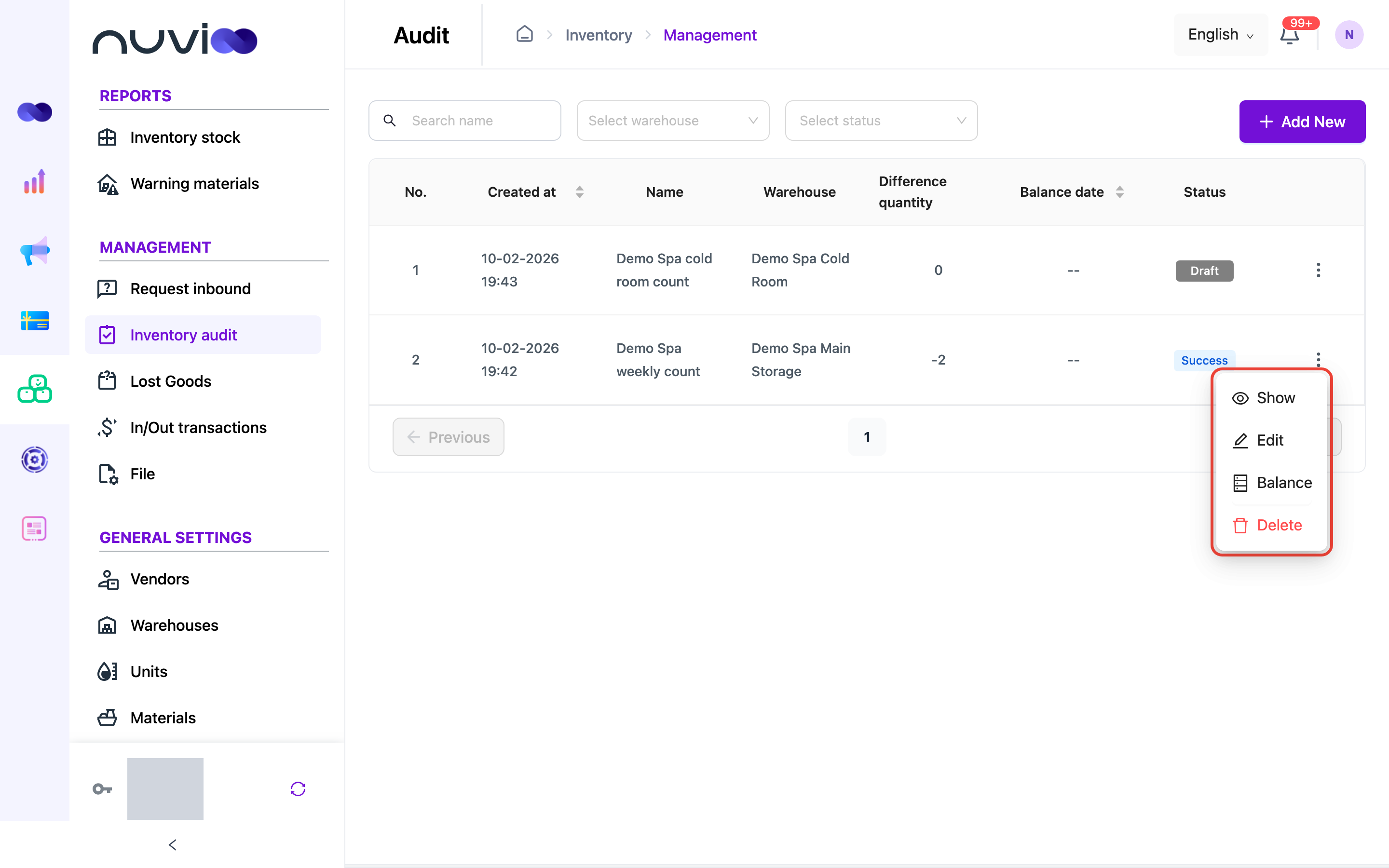
- Click OK to confirm.