Manage units
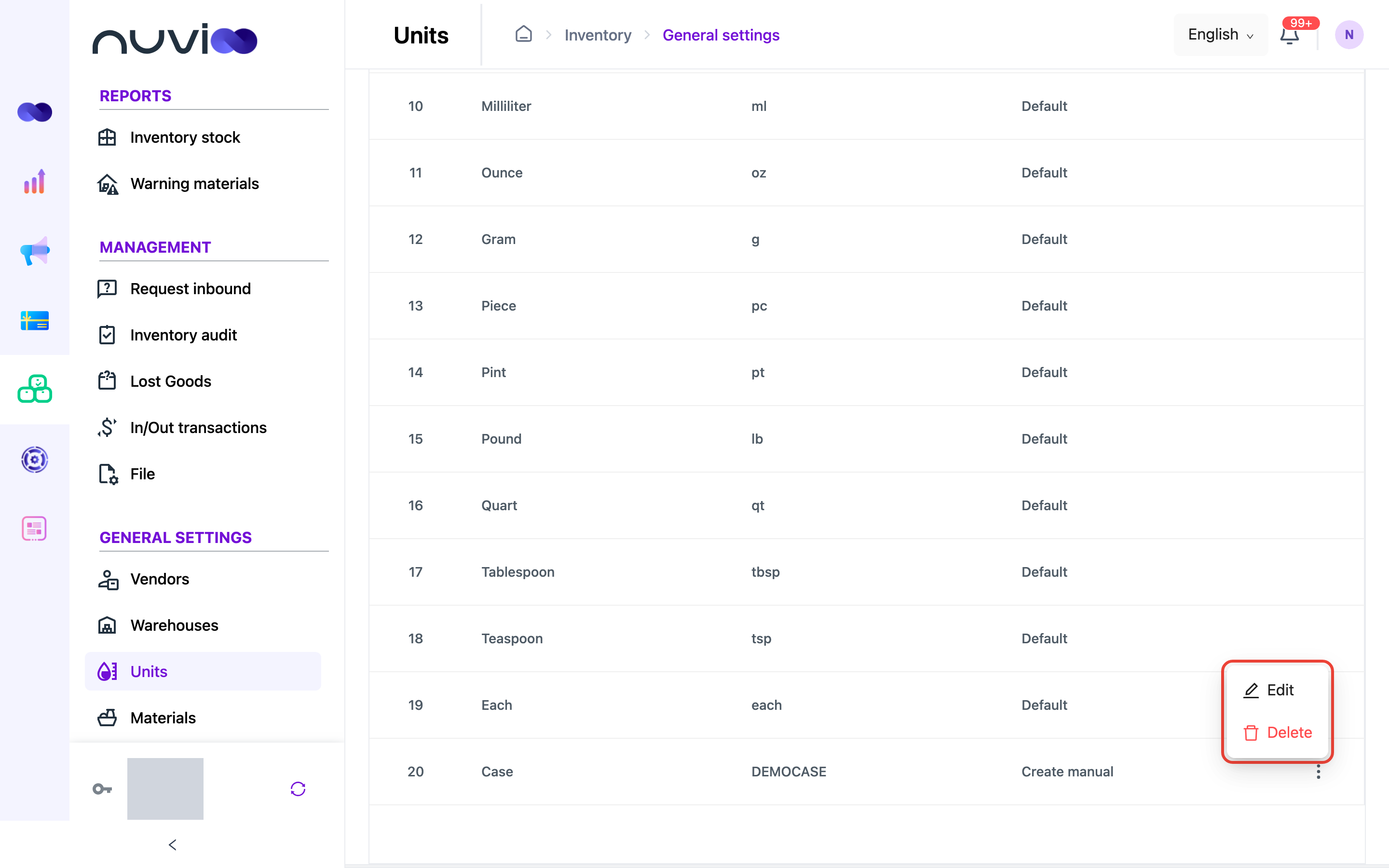
Units are how you count a material: each, piece, milliliter, kilogram and so on. Nuvioo includes common units, marked Default. You can add your own units, such as a case or a box. They are marked Create manual.
Add a unit
Section titled “Add a unit”Open Units
In the sidebar, under General settings, click Units, then click Add New.
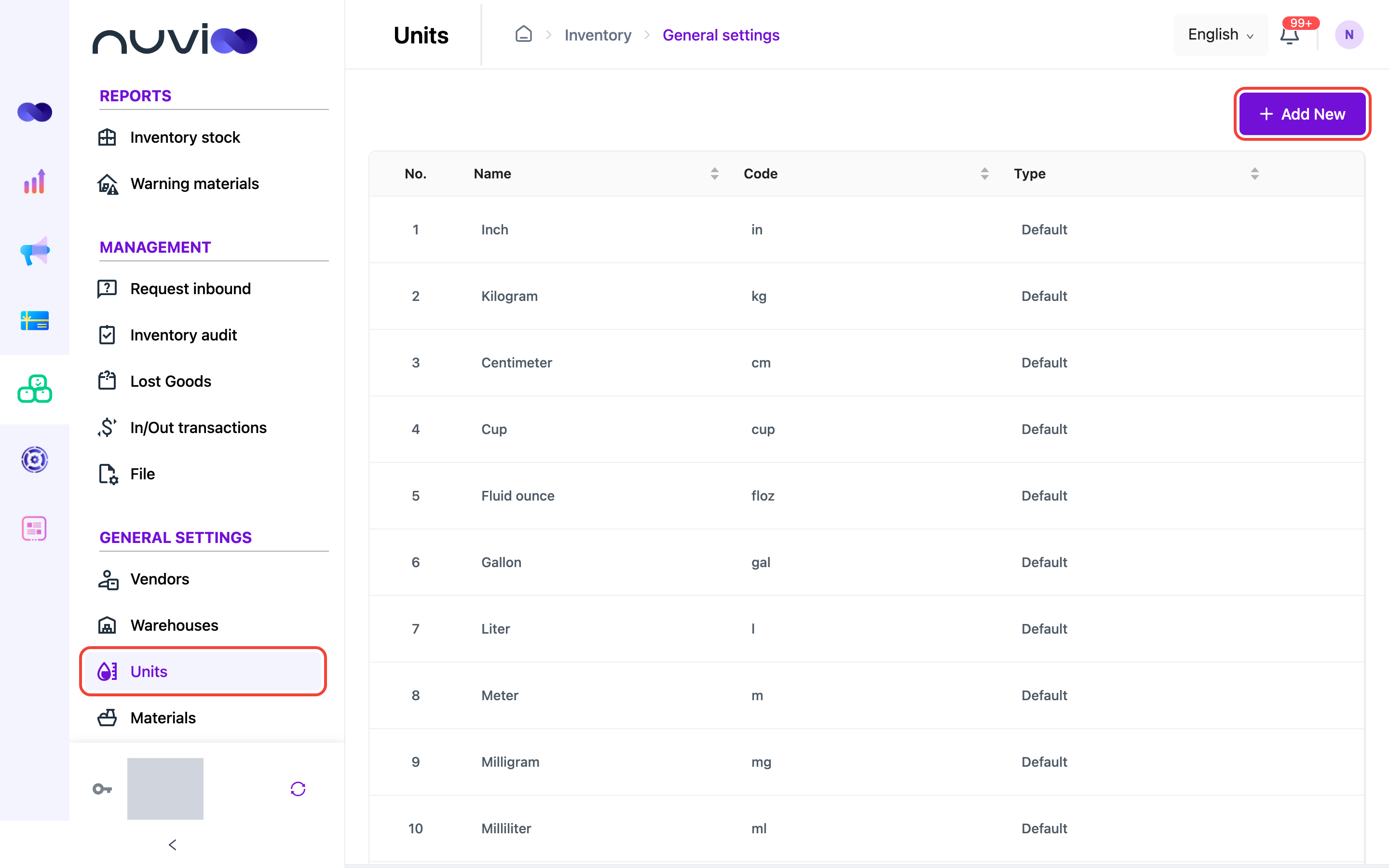
The Units list Enter the name and code
In Create unit, enter:
Field What to enter Name * The unit name people will see, for example “Box”. Code * A short code, for example “box”. It must be unique and cannot be changed later. 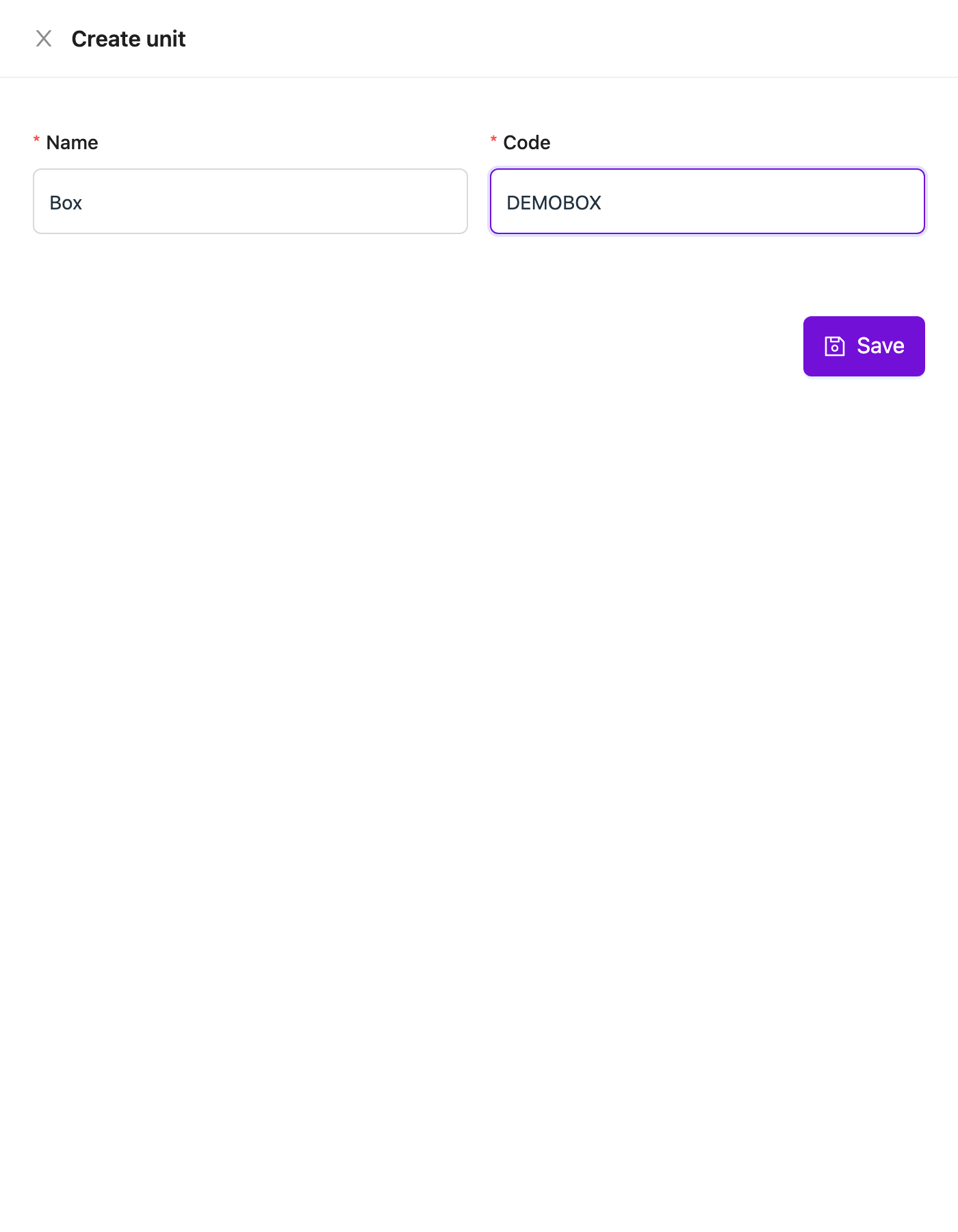
Create unit form Save
Click Save. The unit appears at the end of the list with the type Create manual.
Edit or delete a unit
Section titled “Edit or delete a unit”Click ⋮ at the end of a unit you created, then choose Edit or Delete. Default units cannot be changed or deleted.