

Set up your new Nuvioo account
When Nuvioo (or the partner you bought from) creates your business, you, the owner, get an email titled Welcome to followed by your business name. It takes about five minutes to set up your account from it.
The email comes in one of three kinds. Check which one you have:
| Your email shows | Follow |
|---|---|
| Let’s get started! and Had an account? Login, with no username | Set up from your invitation |
| A Username and a Default Password | Sign in with the password you were given |
| “Your account already exists” and a Username | Sign in with your existing account |
Set up from your invitation
Section titled “Set up from your invitation”Open the invitation
In the email, click Let’s get started! If you already have a Nuvioo sign-in with the same email address, click Login under Had an account? instead, sign in, and go to step 3.
The invitation works for a limited time (3 days by default). After that, ask the person who invited you to send a new one.
Create your sign-in
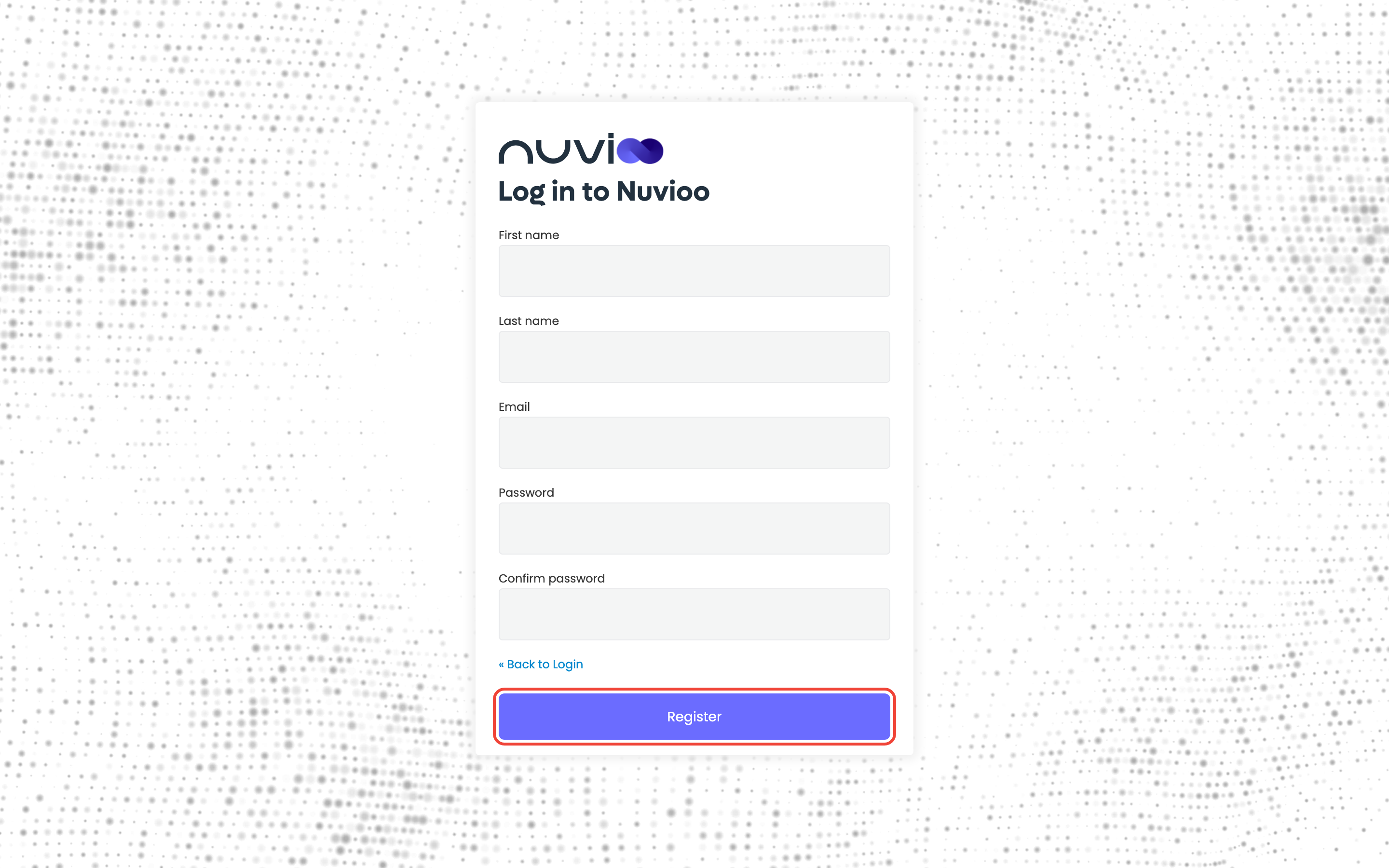
Enter your First name, Last name and Email, choose a Password, type it again in Confirm password, and click Register.
Use the same email address the invitation was sent to. A different address won’t be accepted.
Enter your business details
Fill in your business and click Next.
Field Required What to enter Name Yes Your business name, up to 50 characters. Number of employees Yes 1-2, 3-49, 50-99 or 100+. Country Yes Your country, up to 10 characters, for example US.Zipcode Yes Your business’s zip code. It must be a valid zip code. Phone number No Your business phone, in the format (000)-000-0000. 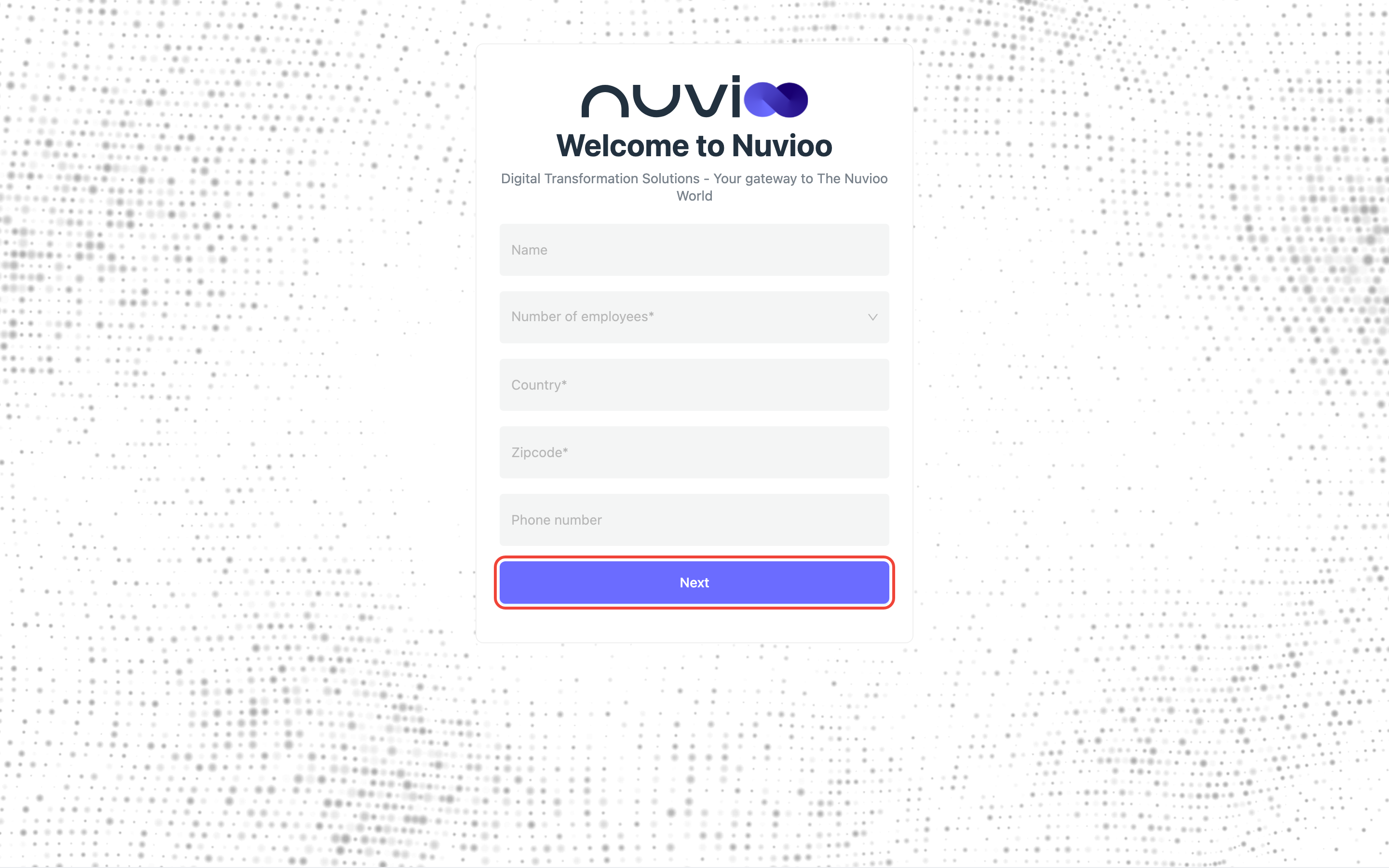
Add a payment card, or skip
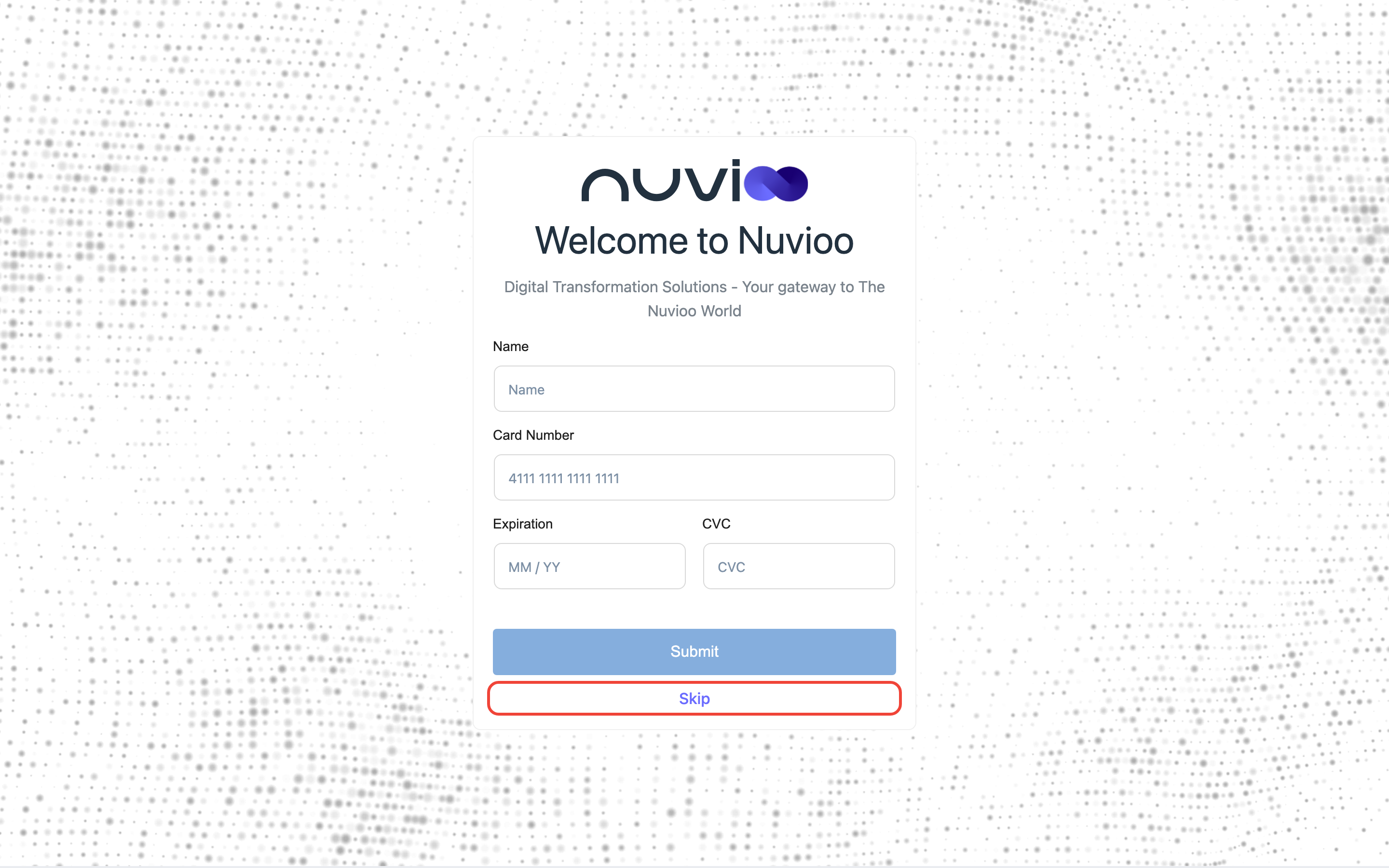
Enter the Name on the card, the Card Number, the Expiration date (MM / YY) and the CVC, then click Submit. The card is saved for your Nuvioo subscription.
To do it later, click Skip. You can add a card any time in Billing.
Start using Nuvioo
Your dashboard opens. Next, see Find your way around, set your business branding, and add your team.
If you stop halfway
Section titled “If you stop halfway”You can come back later. Sign in at your Nuvioo address (in the email’s buttons) and Nuvioo takes you back to the step you left: business details, or the payment card. If you haven’t finished, Nuvioo also sends a reminder email with a Login button.
Sign in with the password you were given
Section titled “Sign in with the password you were given”Some accounts are created for you, with a temporary password.
- In the email, click Let’s get started! or Login. Your business’s sign-in page opens.
- Enter the Username and Default Password from the email, and click Login. See Sign in.
- Nuvioo asks you to choose your own password: enter a New Password, type it again in Confirm password, and click Submit.
- Your dashboard opens.
Sign in with your existing account
Section titled “Sign in with your existing account”If you already have a Nuvioo sign-in with this email address, for example from another business, the email says “Your account already exists”. Click Let’s get started! or Login, and sign in with your existing password. Forgot it? See Reset a forgotten password.
If something goes wrong
Section titled “If something goes wrong”| Message | What it means | What to do |
|---|---|---|
| Invitation code is invalid or expired | The invitation has expired or its code isn’t valid. | Ask for a new invitation, and use the newest email. |
| Your account email is not match with invited email | You registered or signed in with a different email address from the one invited. | Sign in again with the invited email address. |
| Your request mismatch with partner | The link was opened at a different Nuvioo address from the one in the email. | Use the button in the email, without changing the address. |
| Your account not exist or taken | The invitation no longer matches an account. | Contact the person who invited you. |
| Email already exists. (on Register) | You already have a Nuvioo sign-in with this email. | Use Had an account? Login in the email, or reset your password from the sign-in page. |
After an invitation error, Nuvioo signs you out after a couple of seconds so you can try again with the right account. Still stuck? Contact Nuvioo support, or reset your password from Sign in and reset your password.