

Update your profile and password
Click your picture at the top right of any page, then My profile.
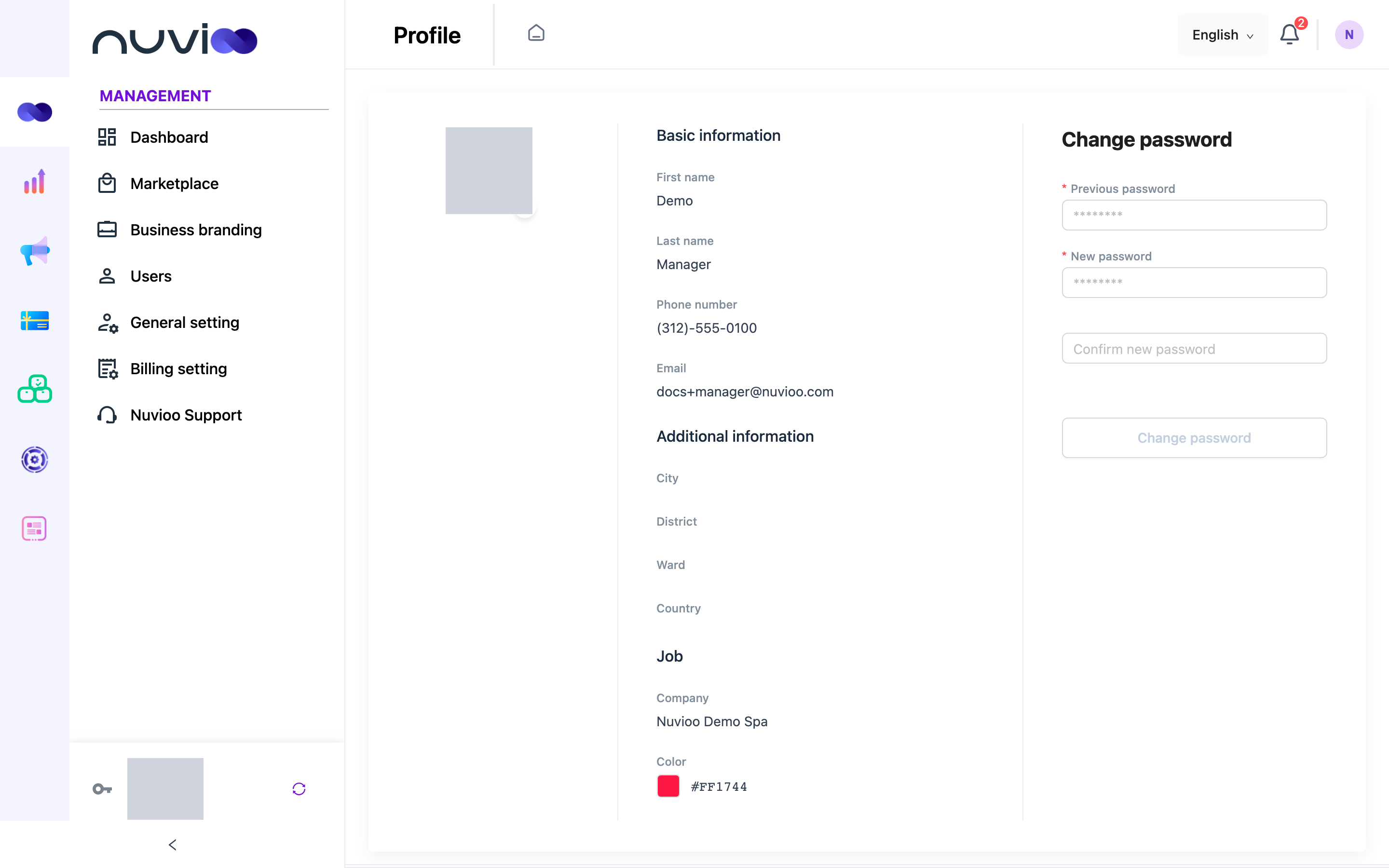
Edit your details
Section titled “Edit your details”Click the pen icon to edit, change your details, then click the check icon to save.
- Basic information: First name and Last name, Phone number. Your email can’t be changed; ask an administrator.
- Additional information: your address.
- Job: Company and Color.
To change your photo, click it and choose a JPG or PNG under 5 MB.
Change your password
Section titled “Change your password”Enter your passwords
Under Change password, enter your Previous password, your New password, and the new password again in Confirm new password.
Confirm
Click Change password, then Yes. Use your new password next time you sign in.