

Manage your payment cards
Nuvioo charges your default card for the apps you subscribe to in the Marketplace. Plans and invoices are on each app’s page in the Marketplace; this page only holds your cards.
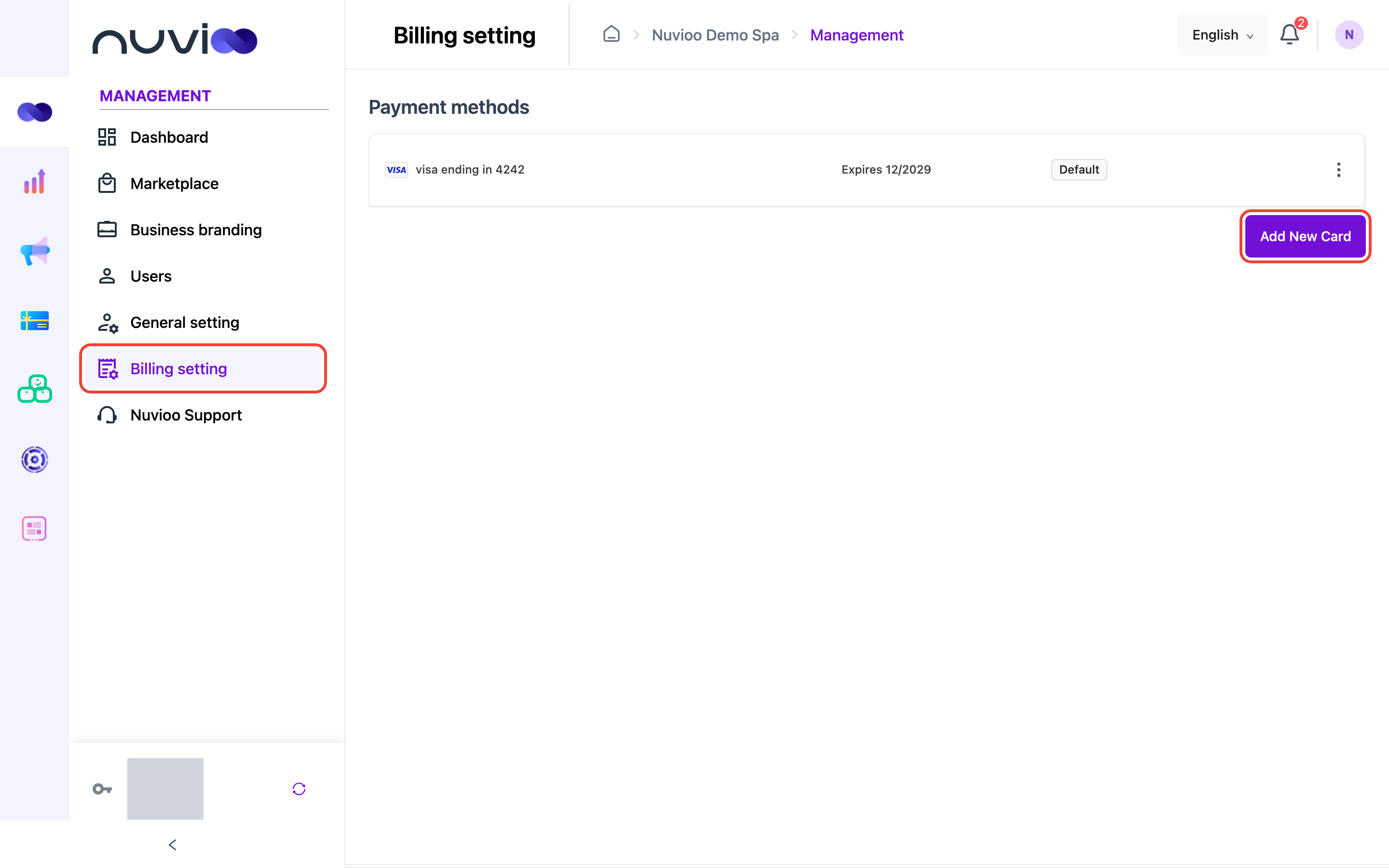
In the sidebar, under Management, click Billing setting. Payment methods lists your cards: the brand and last four digits (for example visa ending in 4242), the expiry date, and Default on the card that’s charged.
Add a card
Section titled “Add a card”Open the card form
Click Add New Card.
Enter the card
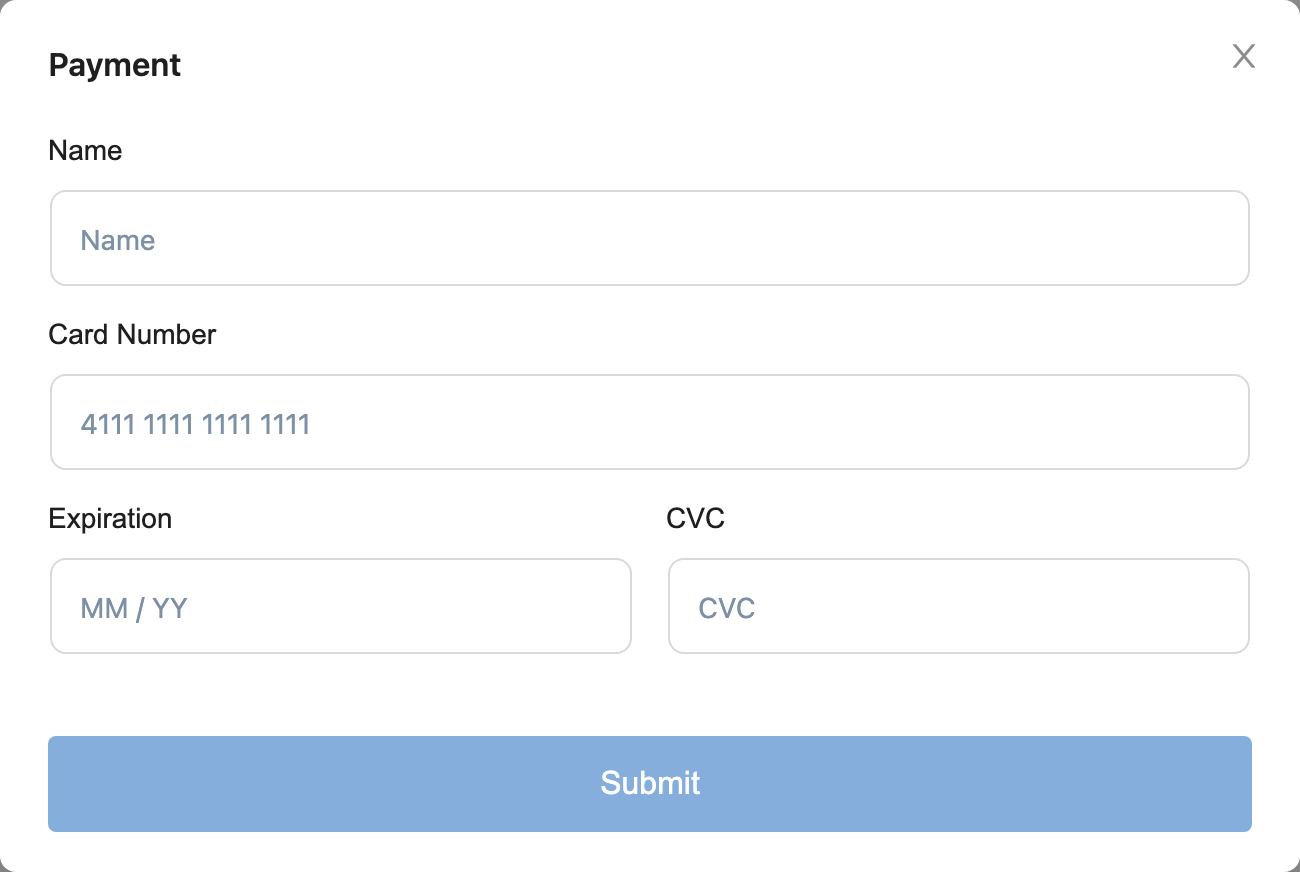
In the Payment window, enter the Name on the card, the Card Number, the Expiration date (MM / YY) and the CVC, then click Submit.
The form is provided by Nuvioo’s payment processor: your card number goes straight to them, and Nuvioo keeps only a secure token for the card.
Check the list
The card appears in Payment methods. If you had no default card, the new card becomes the default.
Change your default card
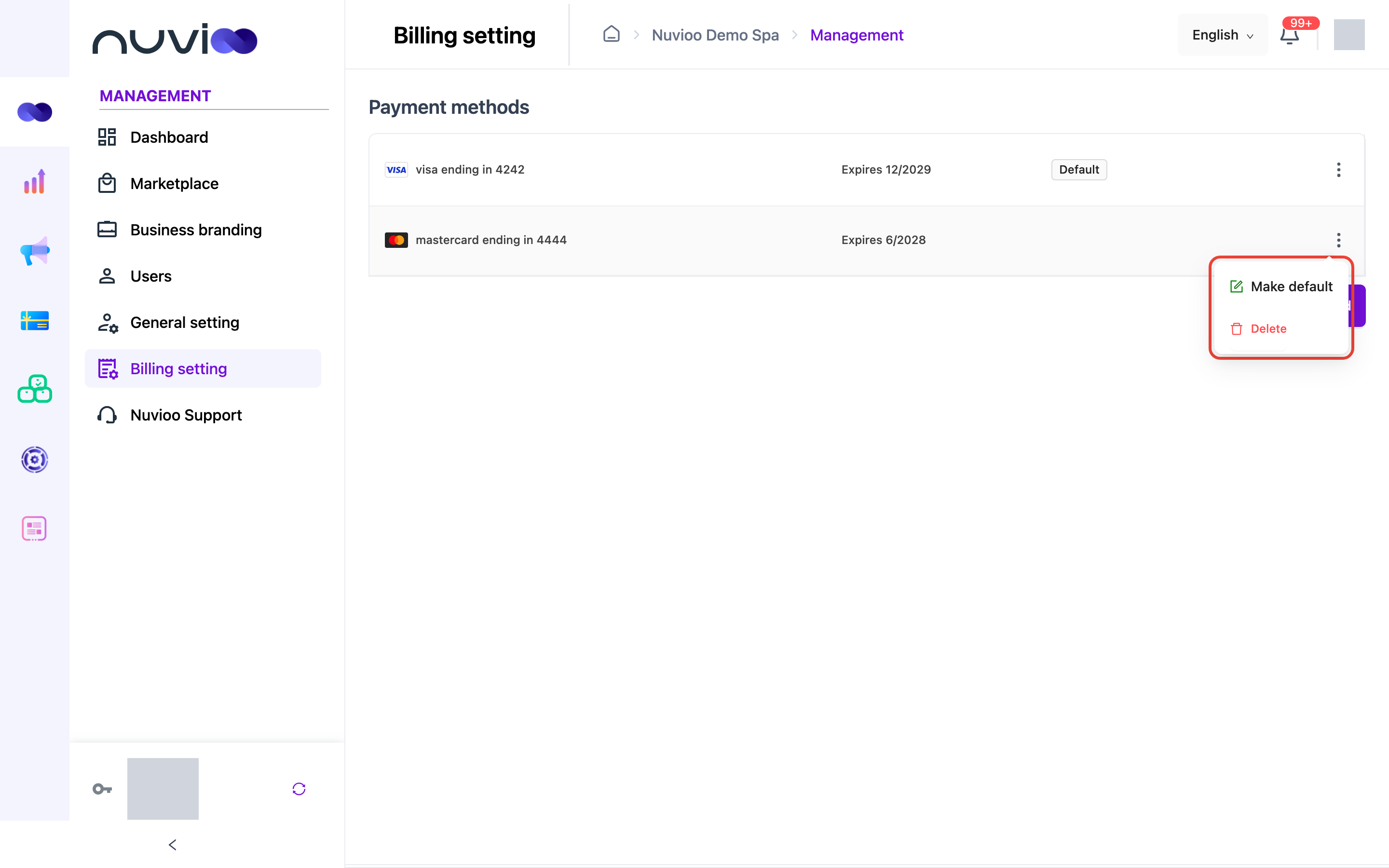
Section titled “Change your default card”Click ⋮ at the end of a card’s row and choose Make default. New charges go to this card.
Remove a card
Section titled “Remove a card”Click ⋮ on the card’s row, choose Delete, then confirm. You can’t remove your default card: Delete is turned off for it. Make another card the default first.