

Create a gift card
A gift card here is the product your customers buy, for example a “$50 Gift Card”. After you create it, staff can sell it at your Nuvioo POS. Each card sold gets its own code. See Gift card overview.
Create a gift card
Section titled “Create a gift card”Open Gift card
In the sidebar, under Management, click Gift card, then click Add New.
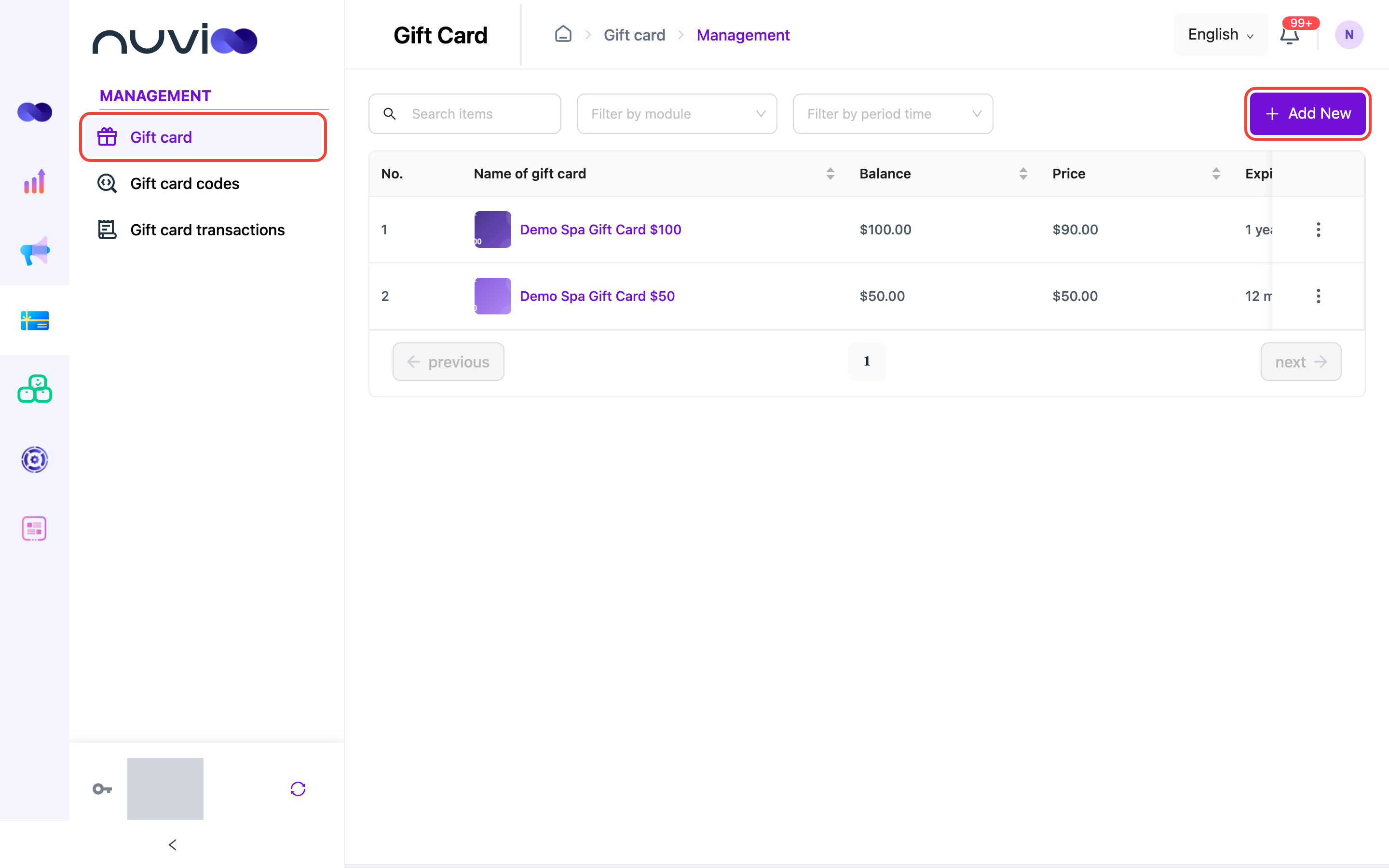
Your gift cards Enter the details
In Create Gift Card, fill in:
Field What to enter Name of gift card * The name staff and customers see, for example “Spa Gift Card $50”. Module * Pos. Gift cards are sold through Nuvioo POS. Price * What the customer pays. Balance * What the card is worth to spend. It must be the same as or more than the price. A higher balance makes a bonus offer, for example pay $90 and get $100. Expired time How long the card can be used after it is sold. Enter a number and choose Month or Year. Leave it empty for no expiry. Description Up to 200 characters. Add an image
Click the image box and choose a JPG or PNG file under 5 MB. Drag and zoom to crop it to a square, then click ok.
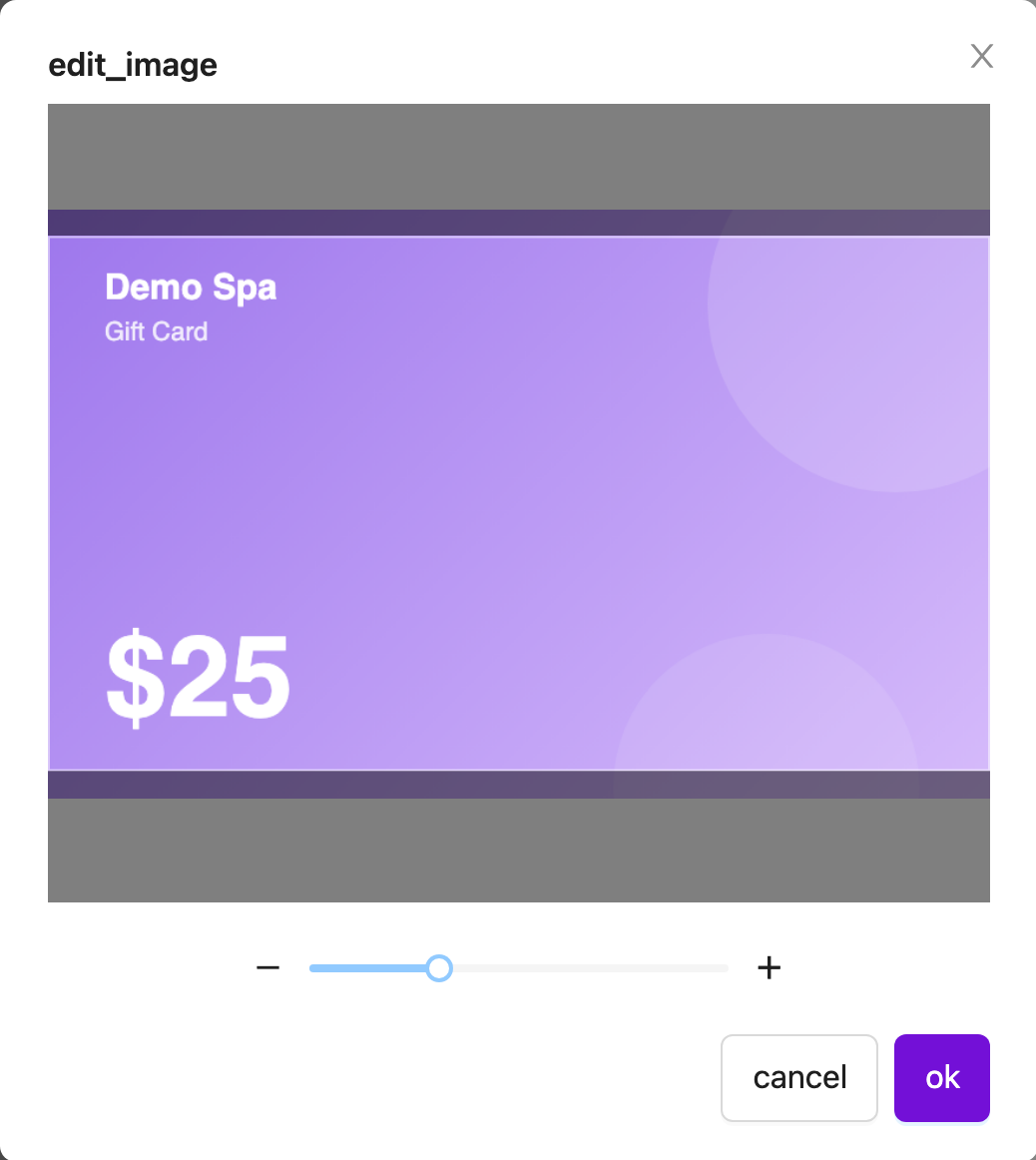
Cropping the gift card image Save
Check the form, then click Save.
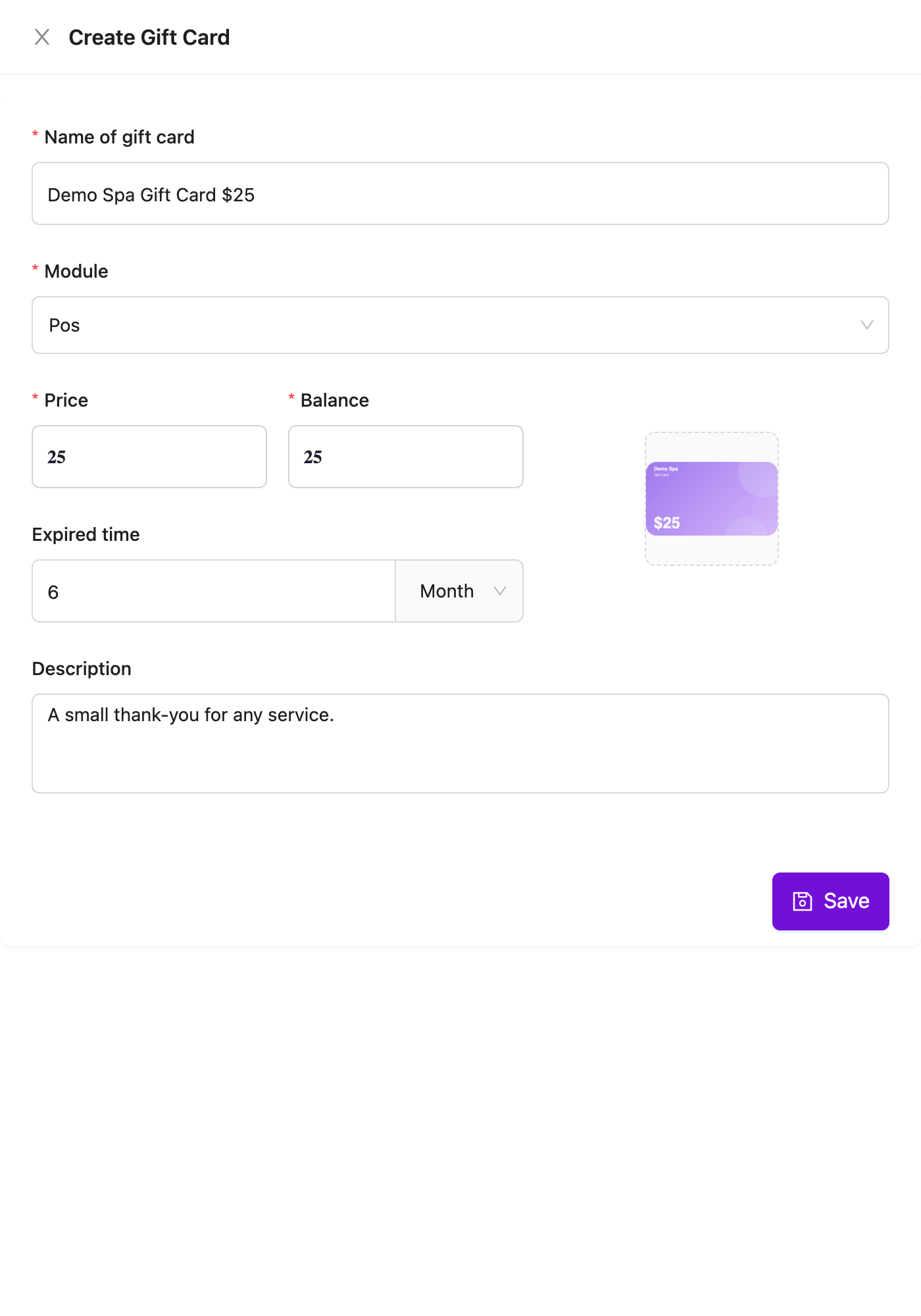
Create Gift Card form
Edit or delete a gift card
Section titled “Edit or delete a gift card”Click ⋮ on the gift card’s row, then choose Edit or Delete.
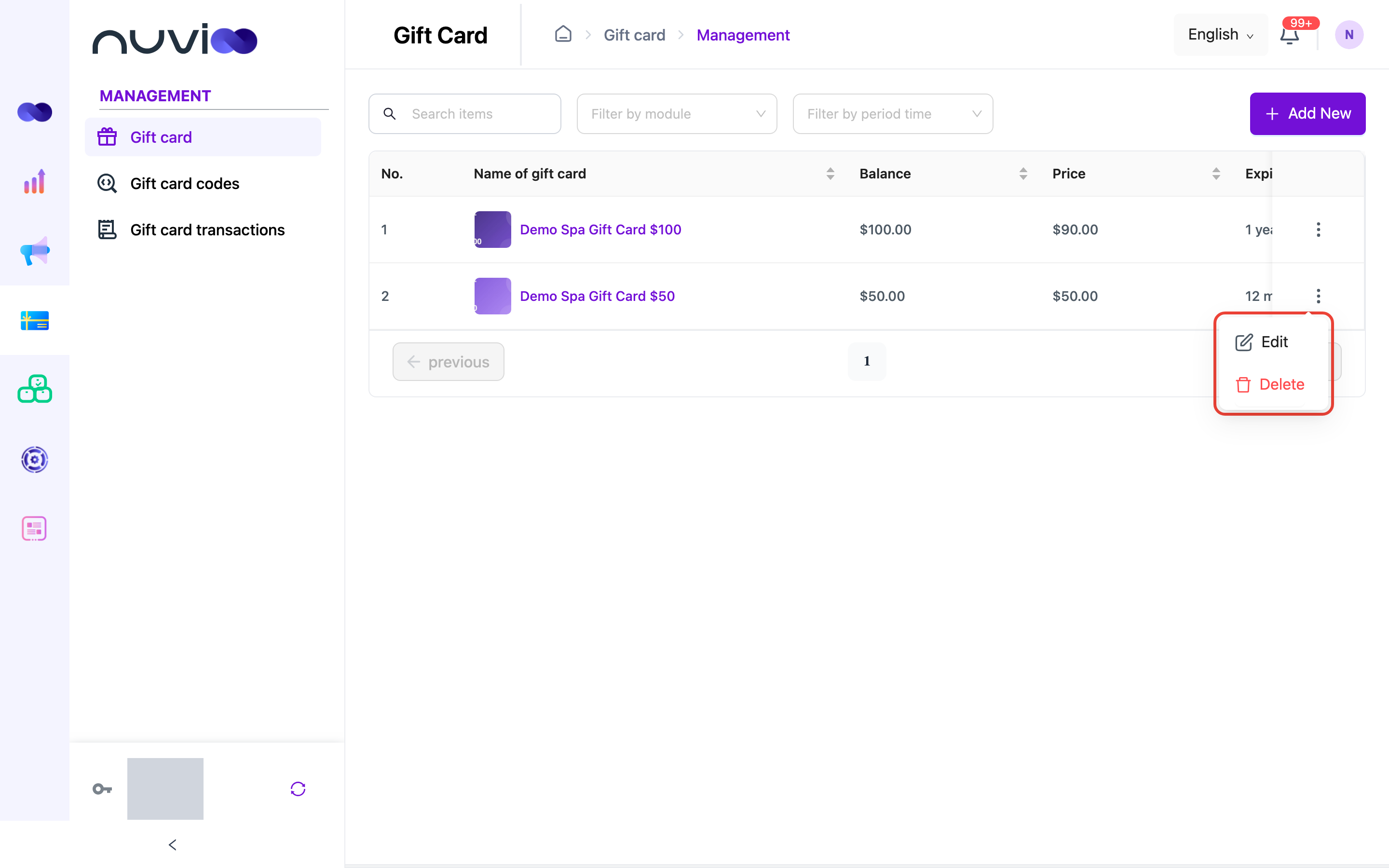
Changing a gift card’s price, balance or expiry affects cards sold from now on. Codes you already sold keep their own balance and expiry date.
Deleting a gift card stops it from being sold. Codes already sold from it still work until they run out or expire. To stop one code from being used, disable it on Gift card codes.
Find gift cards
Section titled “Find gift cards”Use Search items to search by name, Filter by module to show one module, and Filter by period time to filter by expiry.